FAFSA Submission Summary: What You Need To Know

The FAFSA Submission Summary can tell you about your financial aid eligibility, potential schools, making corrections or changes to your Free Application for Federal Student Aid (FAFSA®) form, and next steps as you prepare to receive aid offer letters.
We cover the following topics below:
- What’s in the FAFSA Submission Summary and When You’ll Get It
- Reviewing Your Eligibility Overview
- Checking Your FAFSA Form Answers
- Finding School Information
- What a “Lower Earnings” Alert Means
- Taking Next Steps
- How To Check if You Were Selected for Verification
- How To Make Corrections or Changes to Your FAFSA Form
- Resources To Help You Understand Aid
1
What’s in the FAFSA Submission Summary and When You’ll Get It
The FAFSA Submission Summary can offer a big-picture outlook of your financial aid: your eligibility for the coming award year, information about the schools you’re considering, and what you need to do next to prepare to pay for school. You’ll be able to access the FAFSA Submission Summary once your FAFSA form is processed, which usually takes one to three business days after you submit your completed form. Only you, the student, can access your FAFSA Submission Summary—not your form contributors, such as a parent or spouse.

After your FAFSA form is submitted and processed, you can find the FAFSA Submission Summary on the Dashboard of your StudentAid.gov account. You’ll also see the date your application was received and processed.
The FAFSA Submission Summary consists of four main parts organized into tabs on the page:
- “Eligibility Overview”
- “FAFSA Form Answers”
- “School Information”
- “Next Steps”
The FAFSA Submission Summary not only gives you information that can help you prepare to pay for school but also alerts you to any issues with your FAFSA form or selected schools, allows you to make corrections, and provides additional resources to help you plan.
2
Reviewing Your Eligibility Overview
The “Eligibility Overview” tab on the FAFSA Submission Summary provides important information that can help you understand the aid you may receive from your school. This includes money you don’t have to repay (such as a Federal Pell Grant), money you can earn from working at your school (Federal Work-Study), and federal student loans.
The aid amounts listed on this tab are estimates based on the information you provided on your FAFSA form and aren’t guaranteed to be offered by your school. Your school makes the final decision about the aid it offers you.
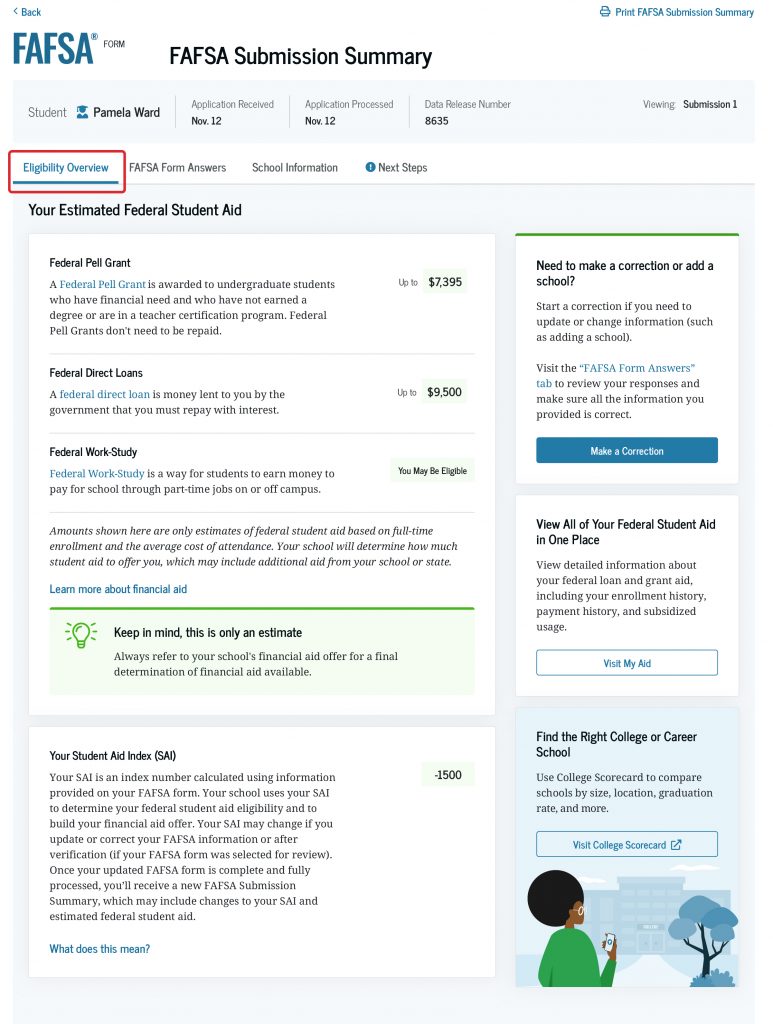
The “Eligibility Overview” tab will also list your confirmed Student Aid Index (SAI), which is an index number used by your school to determine your financial aid eligibility and to build your financial aid offer. A negative SAI indicates that you have higher financial need.
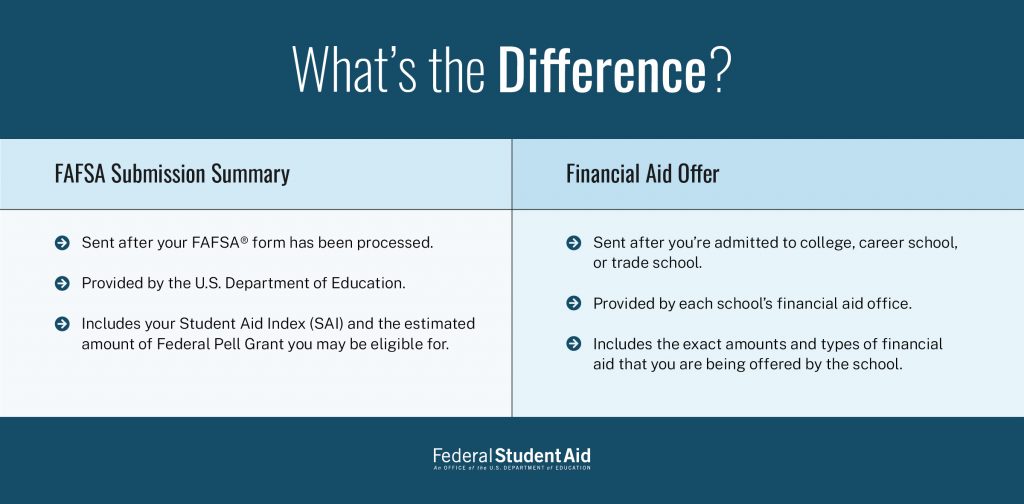
Remember that the aid amount listed on this tab is an estimate and that your SAI is not the amount of money that you or your family is expected to pay for school. You’ll receive your financial aid offer from the school(s) you listed on your FAFSA form after you’re accepted for admission.
3
Checking Your FAFSA® Form Answers
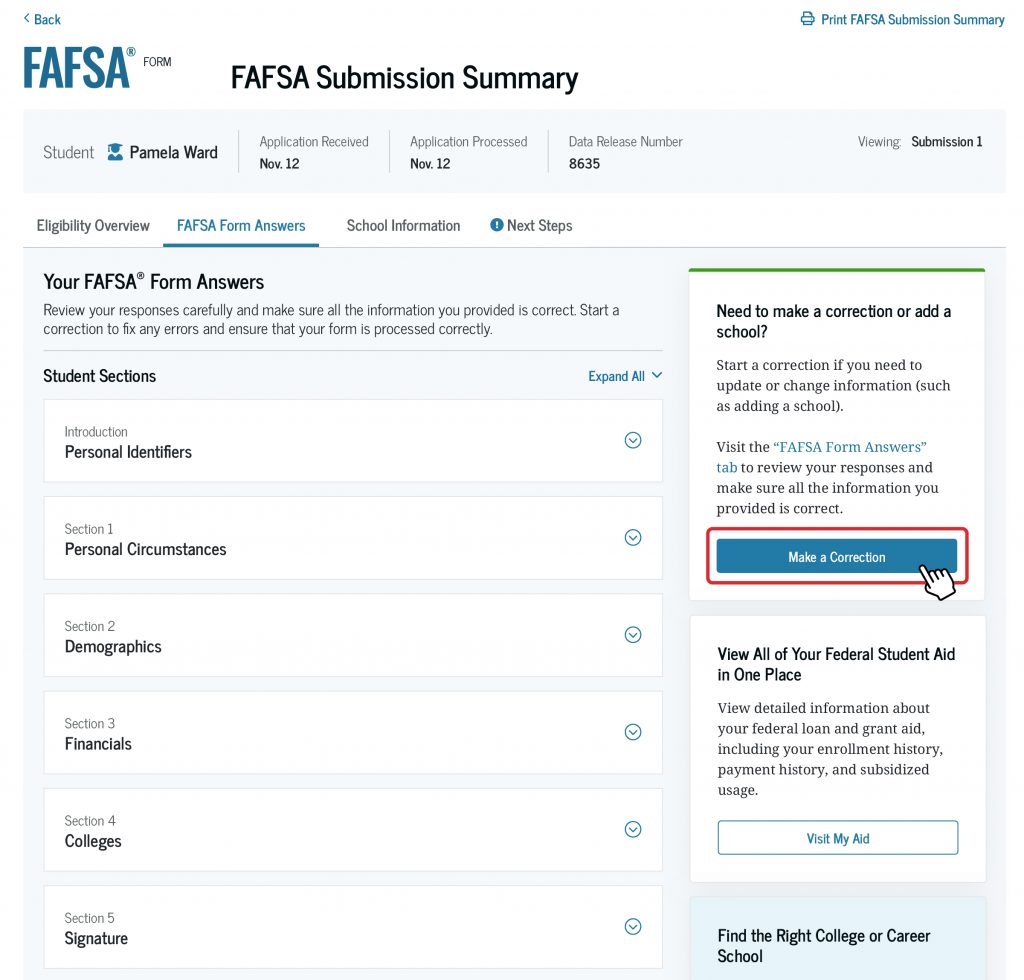
On the “FAFSA Form Answers” tab of your FAFSA Submission Summary, you’ll see the answers you and your contributor(s) provided on your FAFSA form. Select the down arrow to expand each section and review the answers for accuracy.
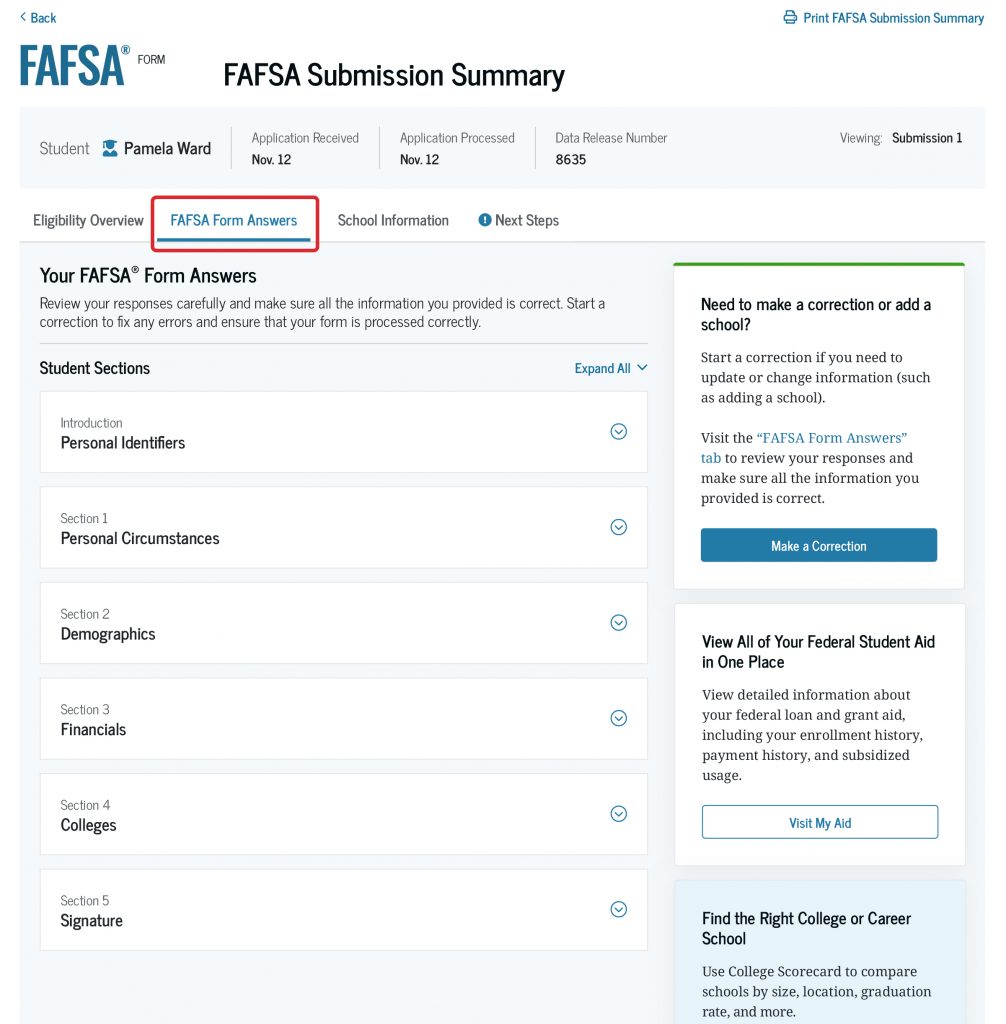
You can also double-check the schools you selected to send your FAFSA information to and whether you digitally signed your form. You can review your answers about your personal information, personal circumstances, demographics, and your financial information, too.
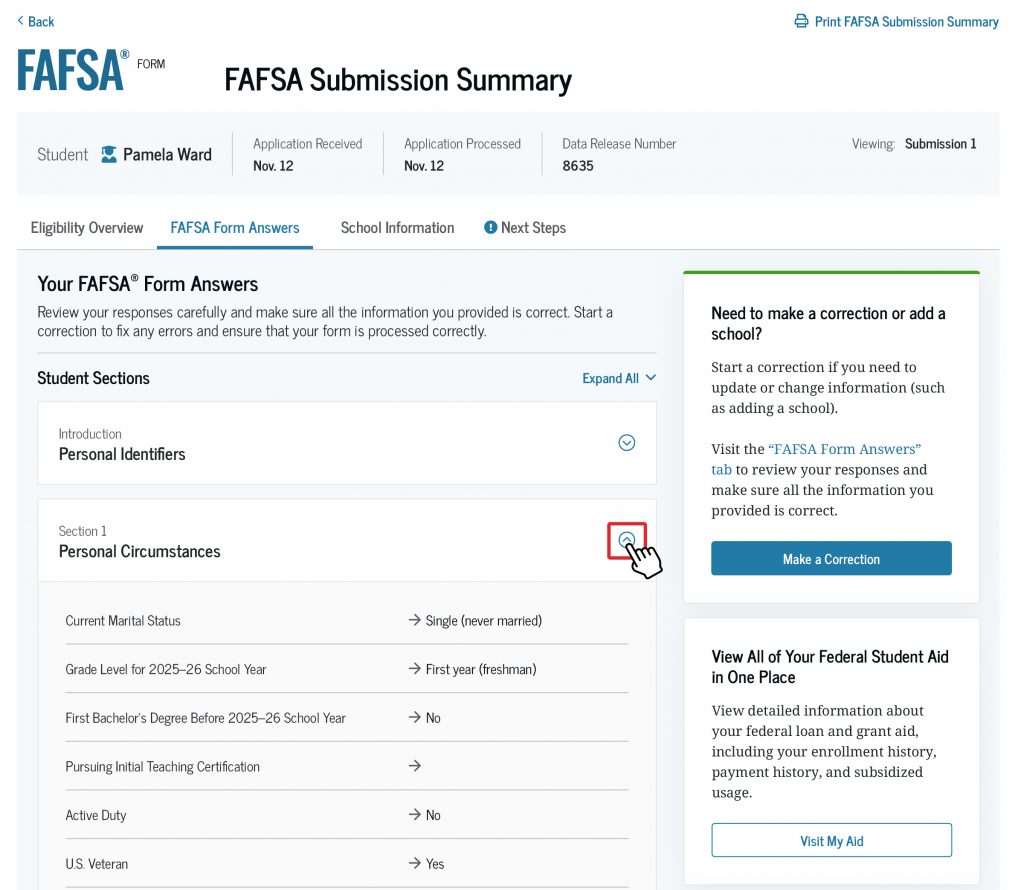
If you identify an error, you can start a correction by selecting the “Make a Correction” button at the top of the tab.
4
Finding School Information
The “School Information” tab includes information about the school(s) you selected to send your FAFSA information to.
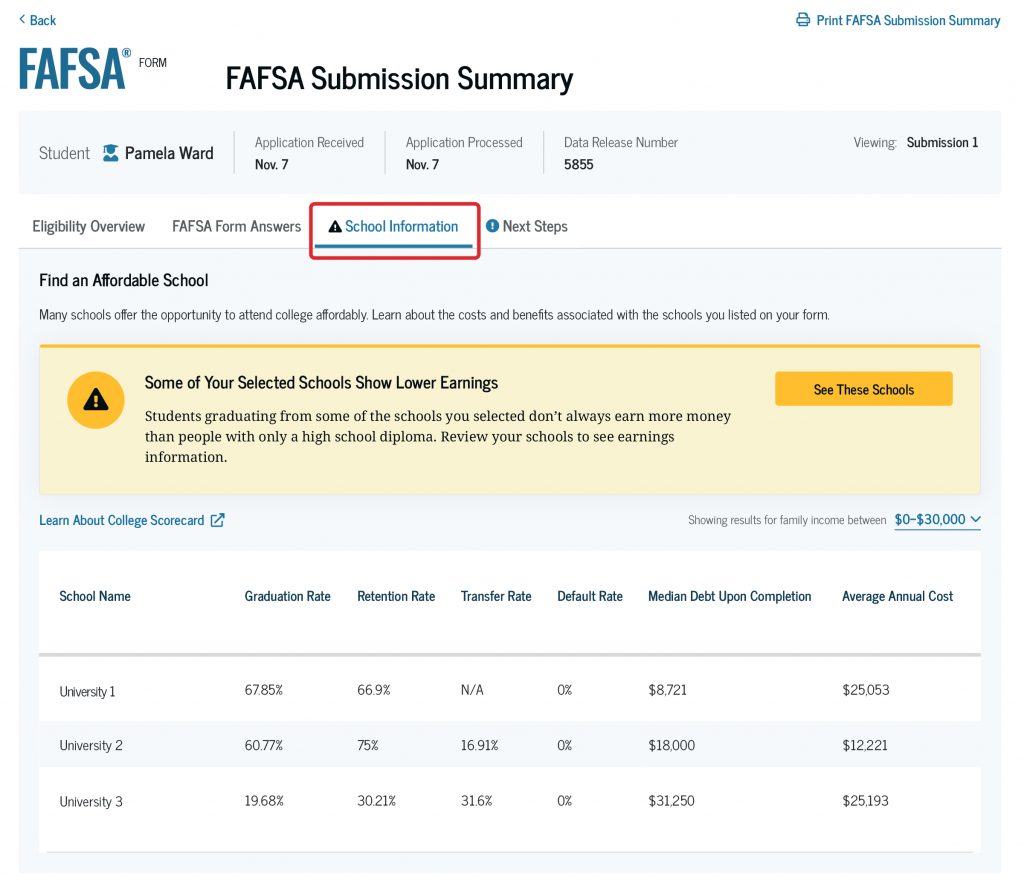
This information includes each school’s graduation, retention, transfer, and default rates; median student loan debt upon completion; and average annual cost of attendance.
You should use all the information you’re provided to compare the schools and help inform your decision of which one to attend. This can give you a good idea of what it will cost to attend each school and what student loan debt you could take on when you finish, if any.
5
What a “Lower Earnings” Alert Means
If you’re a first-year undergraduate, career school, or trade school student, you may see a “lower earnings” alert on your FAFSA Submission Summary. You will see this alert only if you selected one or more schools where a graduate’s median earnings are lower than those of high school graduates in the same state, or lower than those of high school graduates nationally (if the school serves primarily out-of-state students).
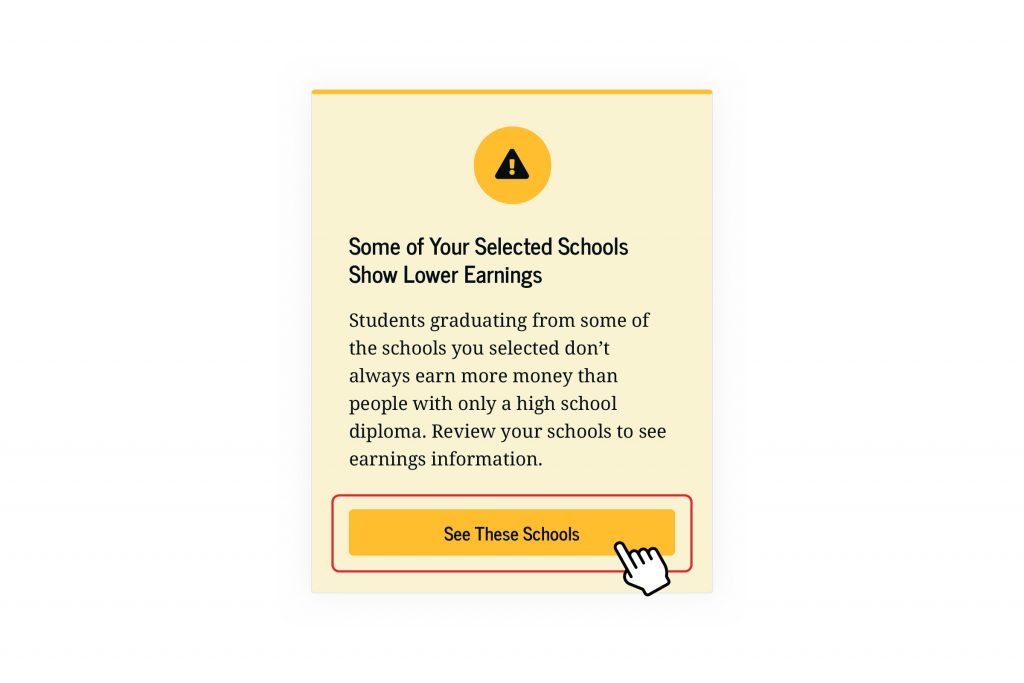
You can select “See These Schools” to review earnings information for all the schools that you included on your FAFSA form.
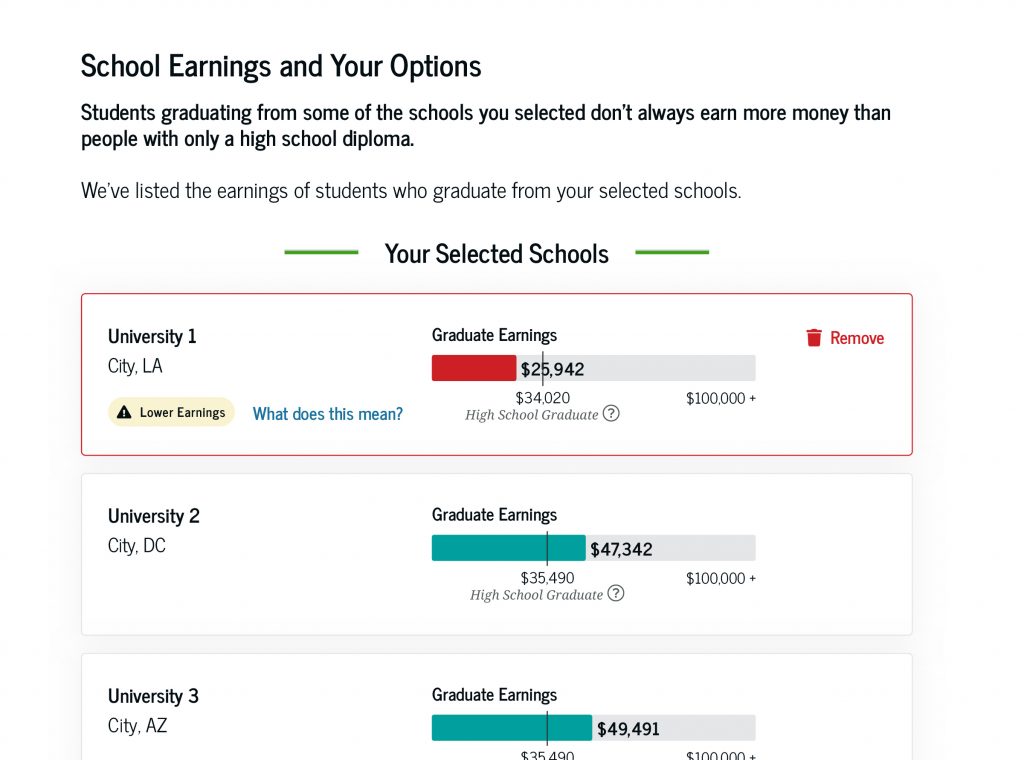
The “lower earnings” alert provides greater transparency for how your school choice may affect your real-world earnings. Earnings are just one factor to consider when comparing schools. Make sure you’re informed before making your final school decision by reviewing all the data available on College Scorecard.
6
Taking Next Steps
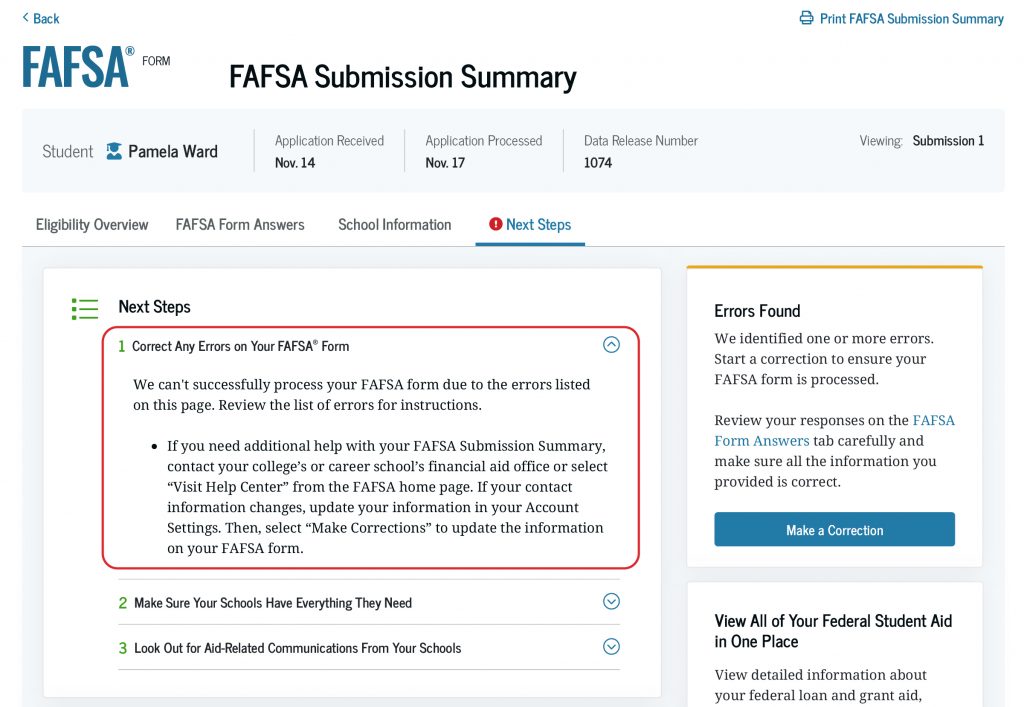
On the final “Next Steps” tab of the FAFSA Submission Summary, you may see comments based on your FAFSA information, including next steps you should take. Select the down arrow to view more details about each item.
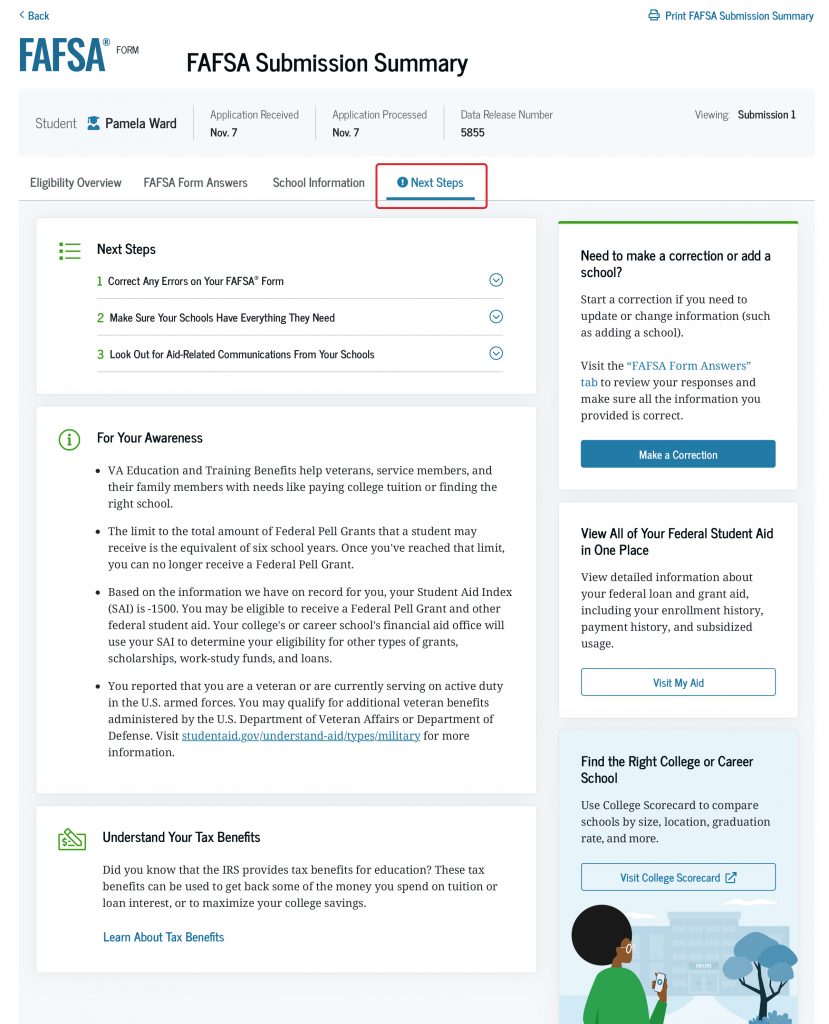
The comments may be informational or they may ask you to take important actions, such as making a correction or sending additional documentation to your school. Failing to take these actions might affect your eligibility for federal student aid, so don’t wait.
7
How To Check if You Were Selected for Verification
On the “Next Steps” tab of your FAFSA Submission Summary, you can check if you’ve been selected for verification of your aid eligibility.
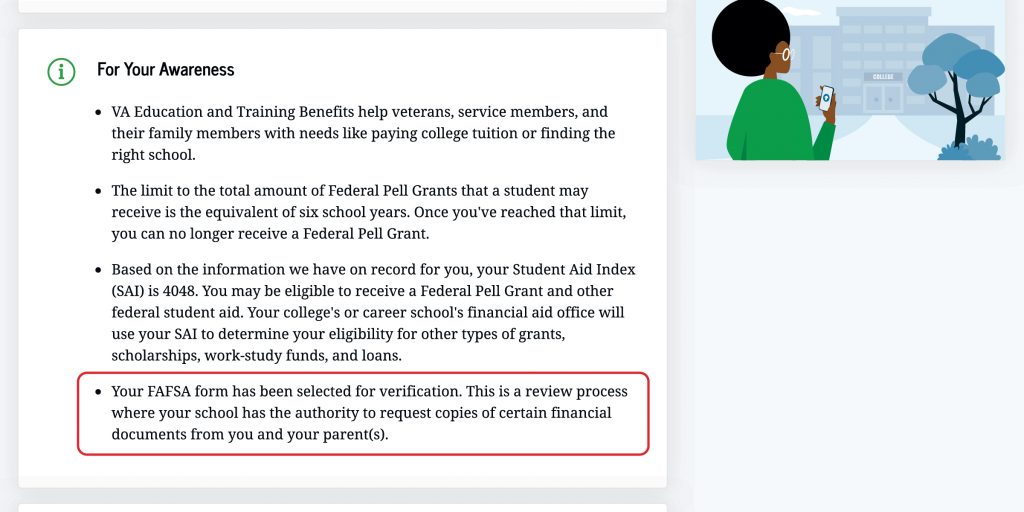
Being selected for verification doesn’t mean you’re being accused of doing anything wrong. Some students are selected randomly, and some schools verify all students’ FAFSA forms.
If you are selected for verification, your school(s) will contact you to indicate what documentation you must submit and by what date. Make sure you provide all documentation as soon as possible because the school won’t be able to process your financial aid until it receives the information it requested.
8
How To Make Corrections or Changes to Your FAFSA Form
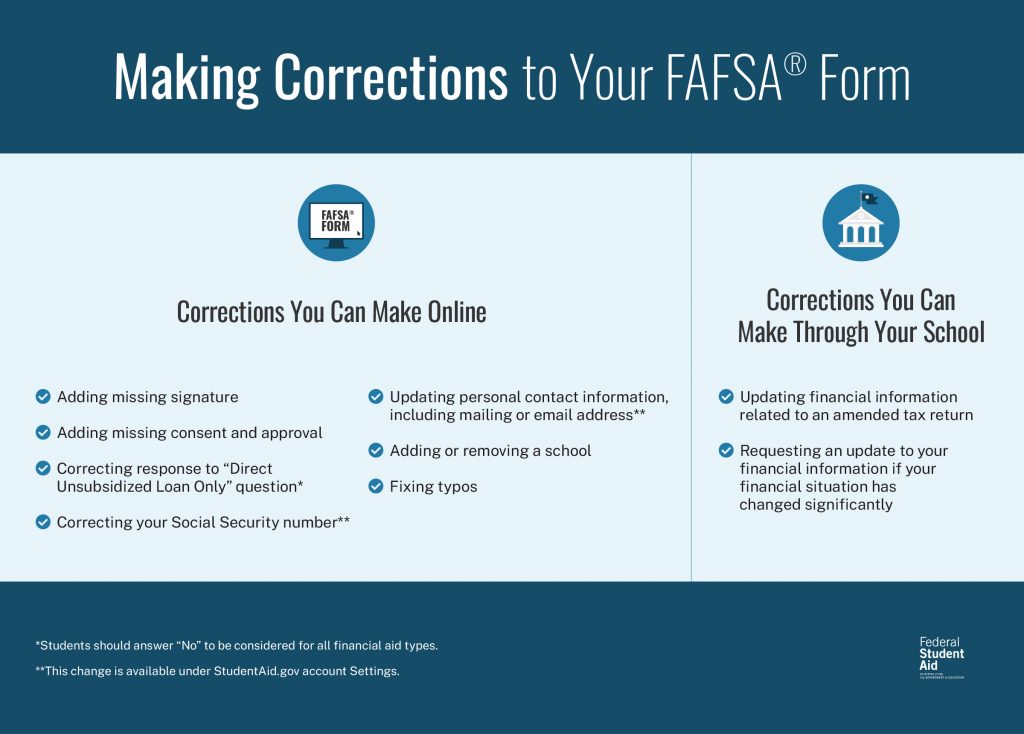
The FAFSA Submission Summary is an important resource for identifying if you or your contributor(s) need to make a correction to your FAFSA form.
If you find a mistake on your FAFSA form (such as a typo), you can fix it by selecting the “Make a Correction” button on the “FAFSA Form Answers” tab. If you would like to add or remove a school from your FAFSA form, you can also do so by making a correction.
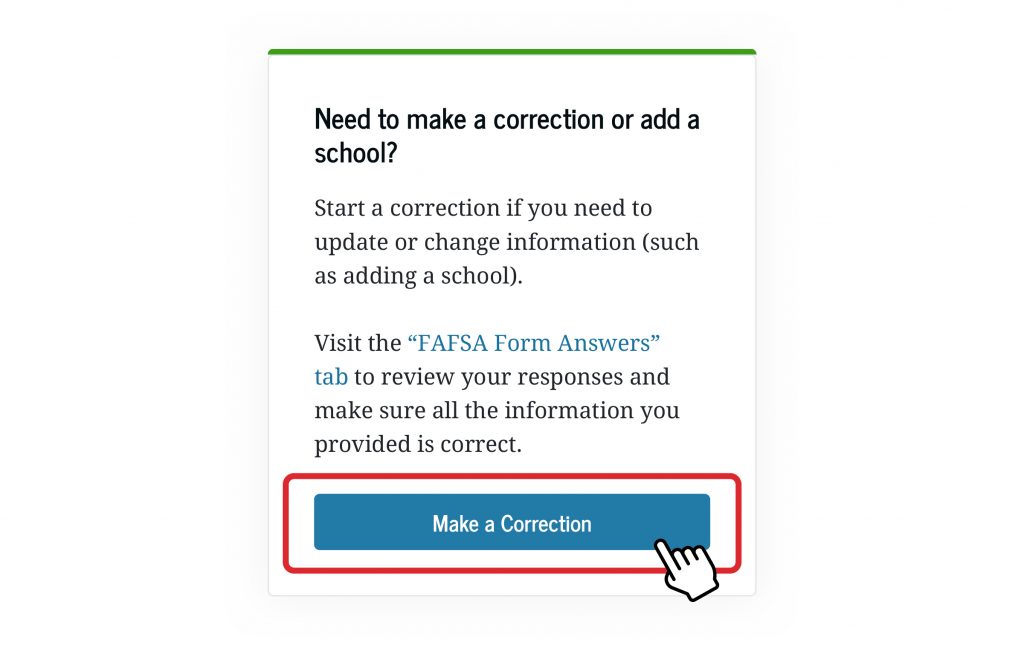
If the comments in the “Next Steps” tab direct you to make a correction, you can start your correction on that tab. Another way to make a correction is from the “Details” page of your processed FAFSA form submission, found on your StudentAid.gov account Dashboard.
Contributors can also start a correction from their StudentAid.gov accounts but can make a correction to only their own sections and not yours.
If you’ve experienced an event in your life that affects your ability to pay for school and is not accurately reflected on your FAFSA form, you’ll need to contact the financial aid office at your school to make sure they know about it. This could be something like you (or a contributor) lost a job, or your marital status changed. At this time, schools are unable to update your FAFSA Submission Summary to reflect these types of circumstances. However, your school can work with you to estimate how these types of changes will impact your aid offer.
9
Resources To Help You Understand Aid
On the right side of your FAFSA Submission Summary, you’ll find important information and resources to help you see an overview of your school choice and potential financial aid package. What you’ll see on the right side of your FAFSA Submission Summary will depend on your particular situation.
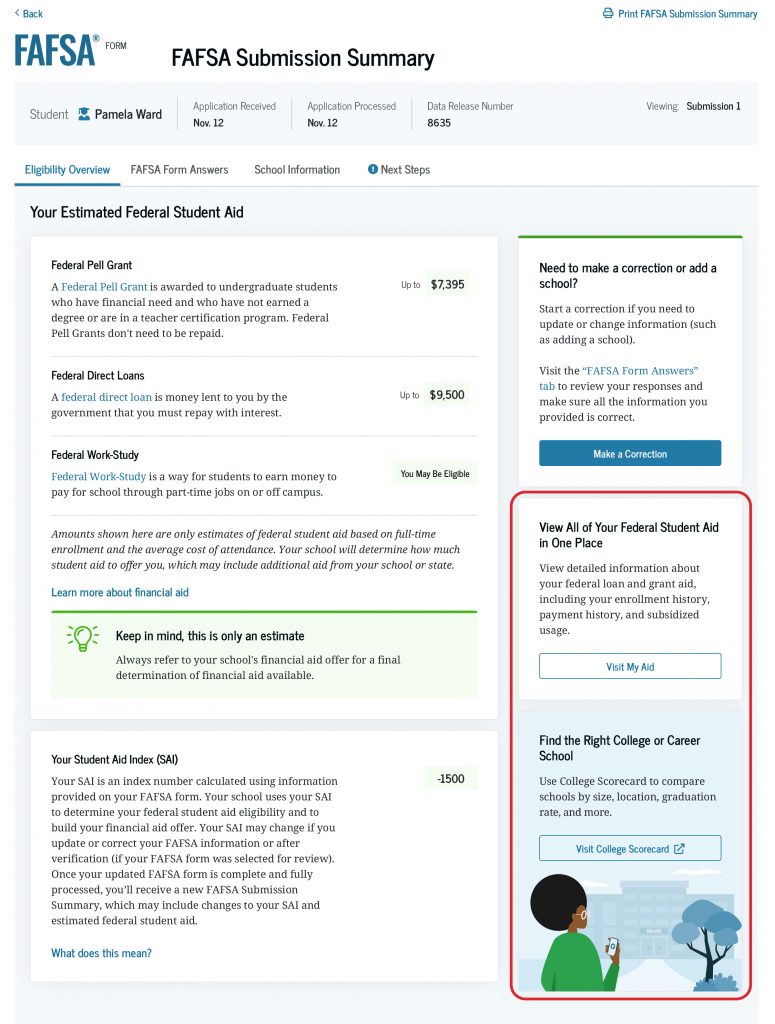
If we found errors on your FAFSA form, you will see an “Errors Found” box that provides information and a link for you to “Make a Correction.”
Keep in mind there are limits to the amount of loans you can receive in your lifetime, so you can see how much you’ve already received. You can receive Federal Pell Grants for up to 12 full-time terms (or about six years), and you can see how much of those you’ve already received under the “My Grants” section.
Under the “Find the Right College or Career School” box, you can select a link to visit College Scorecard. This tool helps you compare schools by cost, graduation rate, median earnings by degree, and more. For a quick demonstration, watch our video on YouTube.
Want more information about the FAFSA process? Check out our article on the steps you should take after submitting the FAFSA form.