Steps for Students: Filling Out the FAFSA® Form
When you submit a Free Application for Federal Student Aid (FAFSA®) form, you gain access to the largest source of financial aid—federal student aid—to help pay for college, career school, or trade school. This includes federal student grants (such as a Federal Pell Grant), work-study funds, and federal student loans.
Completing and submitting the FAFSA form is free—and it’s for more than just federal student aid. States, schools, and some private aid providers also use your FAFSA information to determine your eligibility for their financial aid programs. Make sure you complete your form before your school and state deadlines so you’re eligible for as much aid as possible.
This article will explain what to expect in each section of the FAFSA form. Select a link below to jump to information about a particular section of the FAFSA form.
- Student Identity Information
- Background
- Demographics
- Financials
- Colleges and Career Schools
- Invite a Parent or Spouse
- Review and Sign
You can fill out your FAFSA form at fafsa.gov. Most students take 12 minutes or less to complete the form.
If you need help with a question on the FAFSA form, select the question mark or info icons on each page for more information. You can also chat with Aidan®, our virtual assistant, for help. To review all the FAFSA help topics, visit the “FAFSA® Help” page.
Before You Get Started
To avoid errors or delays with your FAFSA form, review the information below before you start filling it out.
Your StudentAid.gov Account
To complete the FAFSA form online, you’ll need a StudentAid.gov account.
If you don’t already have an account, create one at StudentAid.gov/create-account.
Read our “Key Facts About Your StudentAid.gov Account” article, check out our How To Create a StudentAid.gov Account infographic, or watch the video for help getting started.
You May Need To Invite a Parent or Spouse to Your Form
If you’re a dependent student, you’ll be required to provide at least one parent’s information on the FAFSA form. In most cases, at least one parent will be identified as a contributor on your form.
Your parent must have their own StudentAid.gov account to access your FAFSA form. They’ll need to log in to their account to complete the required sections.
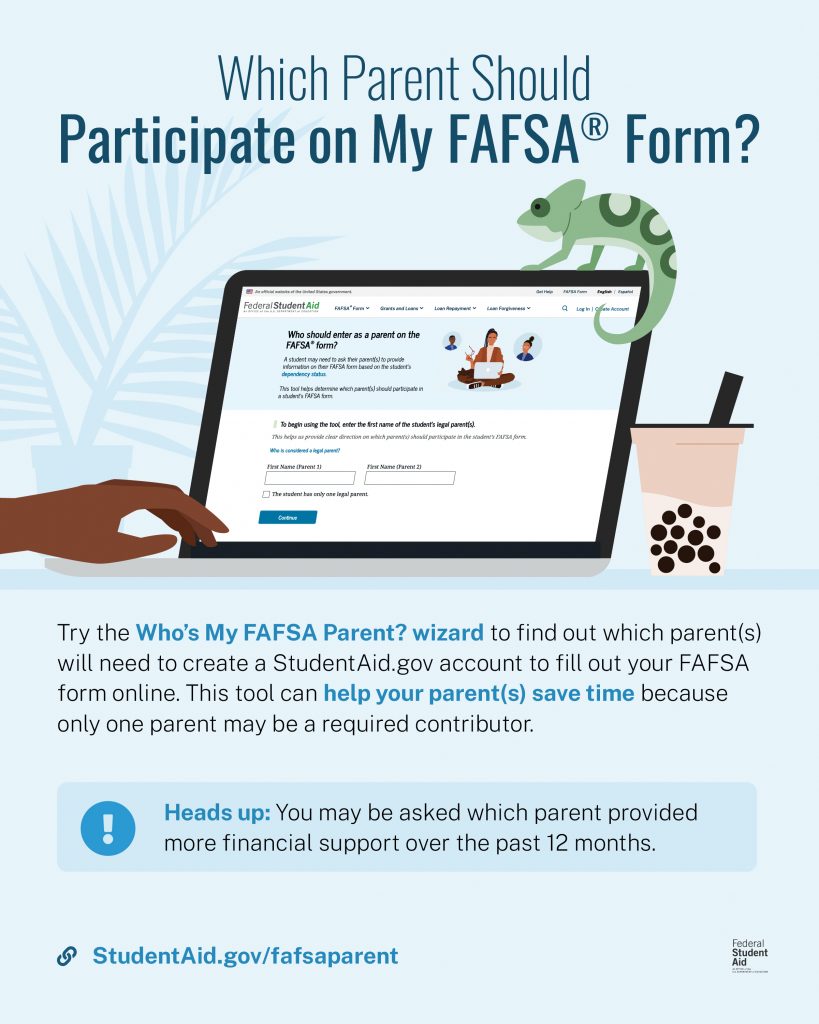
If you want to know which parent you’ll need to invite to the FAFSA form before you start filling it out, try the Who’s My FAFSA Parent? wizard. The tool may be especially helpful if your parents are separated or divorced, or if you have a stepparent.
1
Student Identity Information
To start your FAFSA form, go to fafsa.gov and select “Start New Form.”
If you’re not logged in to your StudentAid.gov account, you’ll be taken to the “Log In” page, where you’ll enter your username and password. Next, select the school year for which you are applying for aid.
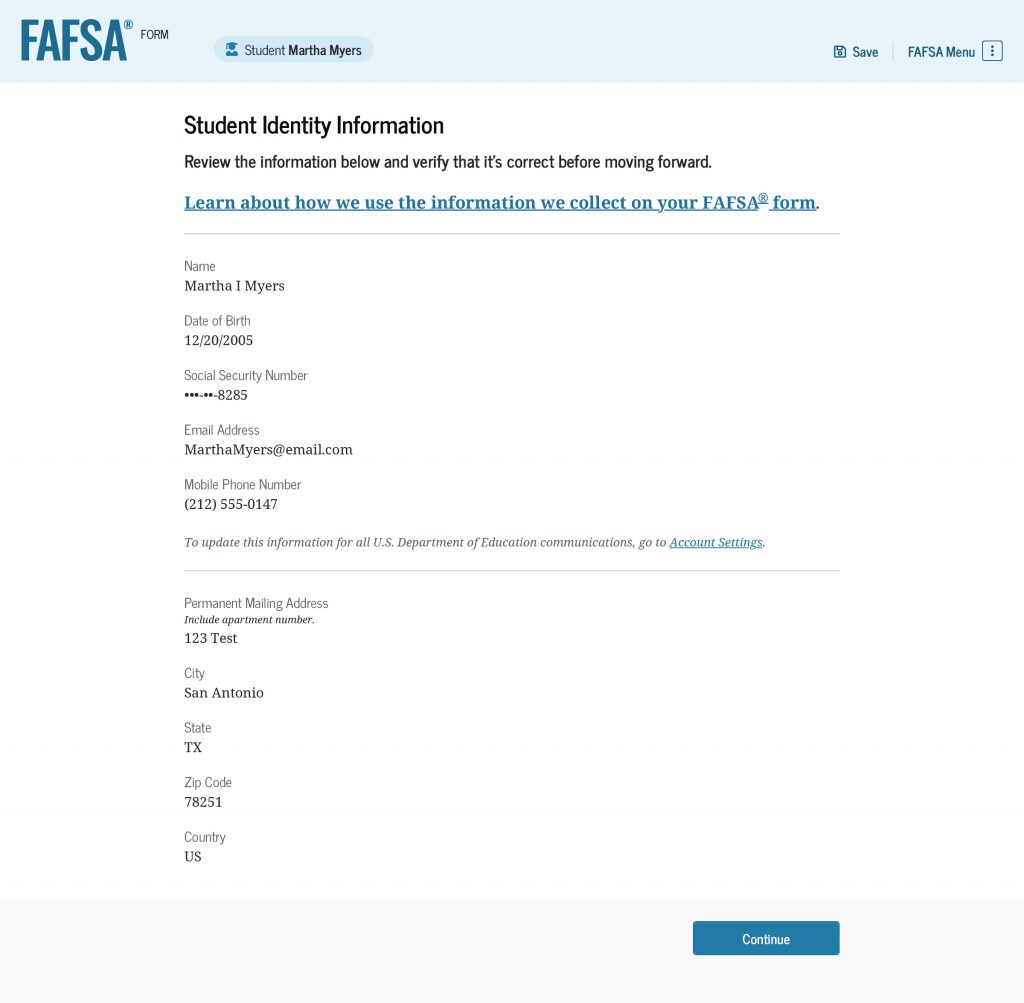
The first question will ask you who is starting the FAFSA form. Select “Student.” Then, select “Start FAFSA Form” to be taken to the “Student Identity Information” page. This page shows personal information in your StudentAid.gov account. Review it to make sure everything is correct. If you need to update something, you can do that in your account settings.
You’ll also select your state of residence. Usually, this is the state where you live while not attending college, career school, or trade school. If you have questions, read our “State of Residence” help article. You’ll also provide the month and year that you became a resident of that state. If you don’t know the exact month or year, you can enter an estimate.
Next, you’ll provide consent and approval for your tax information to be transferred directly from the IRS into your FAFSA form. Even if you didn’t file taxes, you must provide consent and approval. If you don’t, you won’t be eligible for federal student aid.
Providing consent and approval on the FAFSA® form is required to be eligible for federal student aid. Watch our What Does It Mean To Provide Consent and Approval on the FAFSA® Form? video for more information.
2
Background
In this section, you’ll answer questions that will help determine your dependency status and eligibility for federal student aid.
First, you’ll answer questions about your marital status and your college or career/trade school plans.
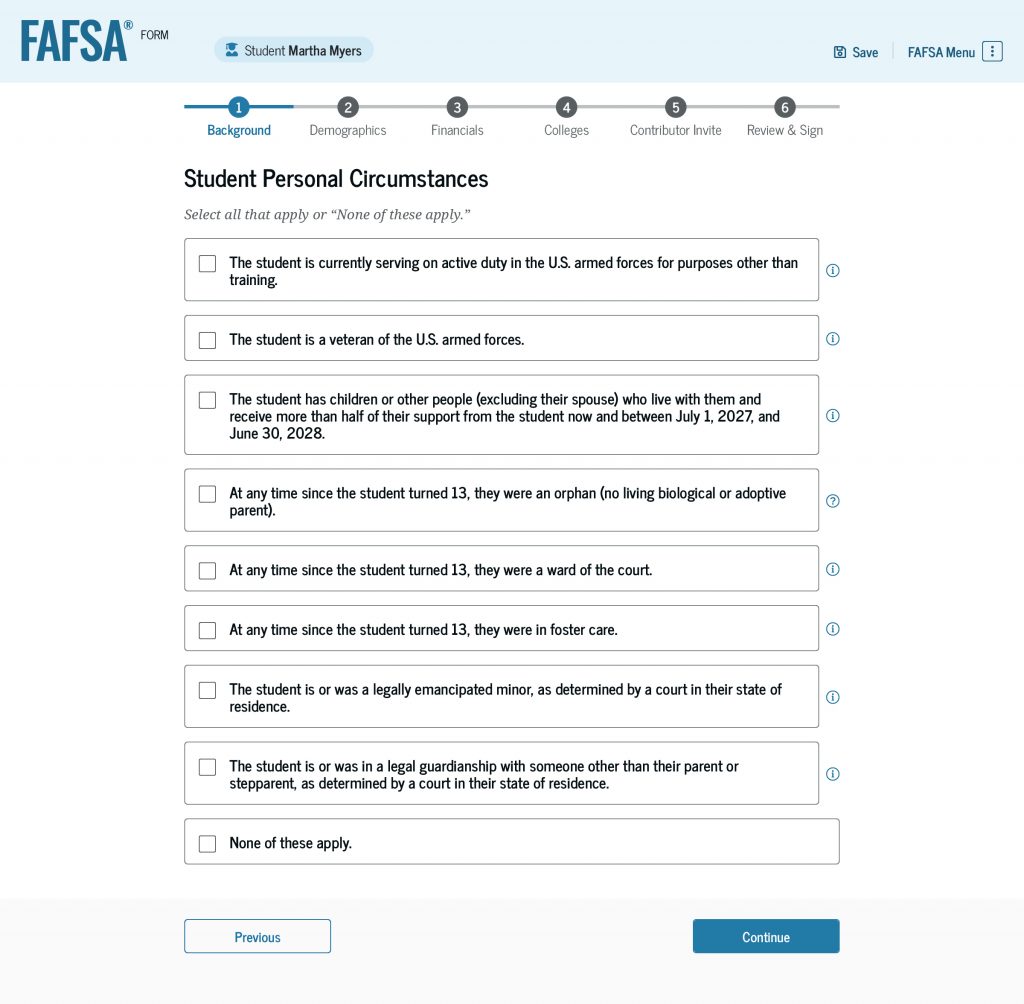
On the “Student Personal Circumstances” page, you’ll see a list of circumstances. Select all the boxes that apply to you. If none apply, select “None of these apply.”
You’ll also be asked about your living situation. If you answer that you were homeless or at risk of being homeless, you’ll see an additional question asking who determined that you were homeless or at risk of becoming homeless.
If you selected “None of these apply” to the circumstances listed on the “Student Personal Circumstances” page and you don’t meet the other criteria to be an independent student, you’ll be asked if unusual circumstances prevent you from contacting your parent(s).
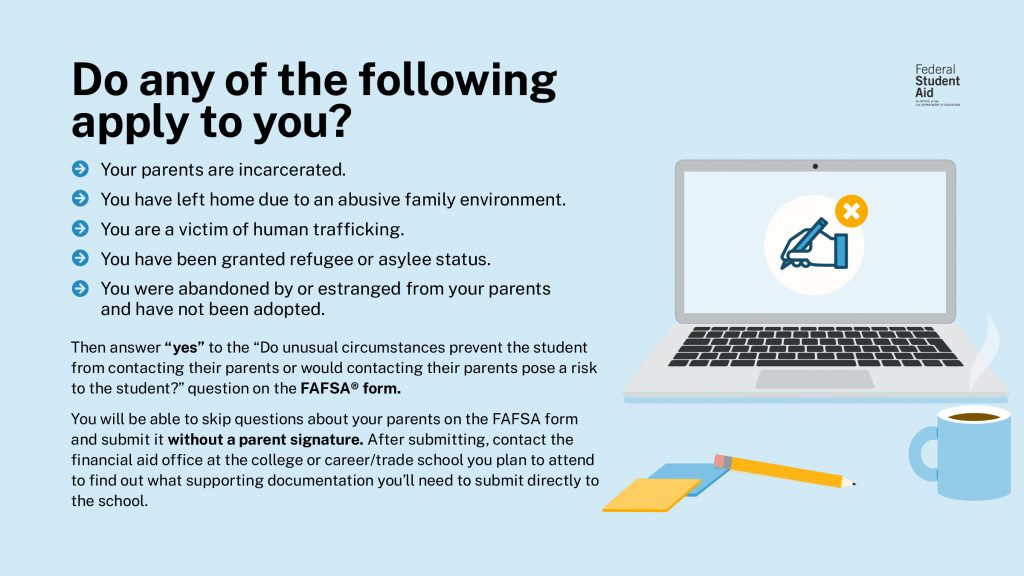
After answering all the questions, the FAFSA form will inform you of your dependency status (as determined by law) for federal student aid purposes. Your dependency status isn’t based on whether you live with your parents, if they provide financial support, or if they claim you as a dependent on their taxes.
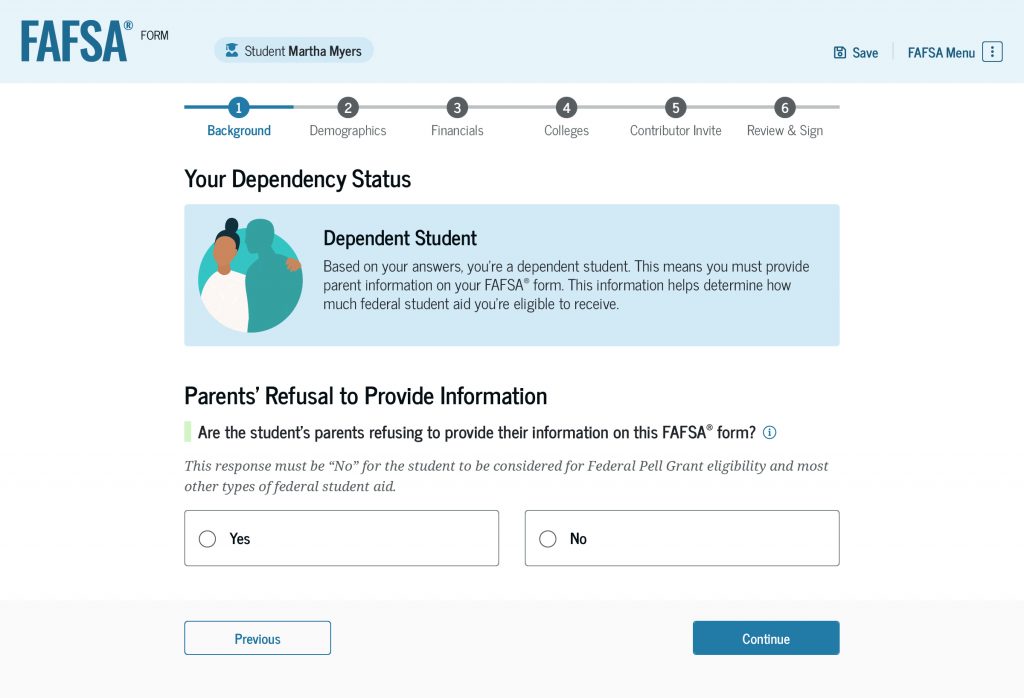
Instructions for Dependent Students
If the FAFSA form determines that you’re a dependent student, you’ll need to answer the question: “Are the student’s parents refusing to provide their information on this FAFSA® form?”
The default answer to this question is “No.” If you change your response to “Yes” and submit your form without parent information, you won’t be eligible for a Federal Pell Grant or most other types of federal student aid. You may be eligible for a Direct Unsubsidized Loan only.
If your parent is hesitant to provide their information, make sure they know that their responses on the FAFSA form only help determine what aid you qualify for and don’t mean they’re responsible for your school costs. The Master Promissory Note (not the FAFSA form) is the legal document that determines who is responsible for paying back the loan.
Make sure you select “Yes” only if your parent(s) refuse to participate on your form.
3
Demographics
This section will ask questions about your and your parents’ background. Some of these questions will help determine your eligibility for federal student aid.
You’ll be asked about your sex, race, and ethnicity. Your answers will be used for research purposes only. They won’t affect your eligibility for federal student aid, be used in any calculations, or be shared with any schools that you list on your FAFSA form.
Next, you’ll be asked about your citizenship status. You must be a citizen or eligible noncitizen to receive federal student aid.
Then, you’ll be asked about your parents’ education status. If you’re unsure, select “Don’t know.”
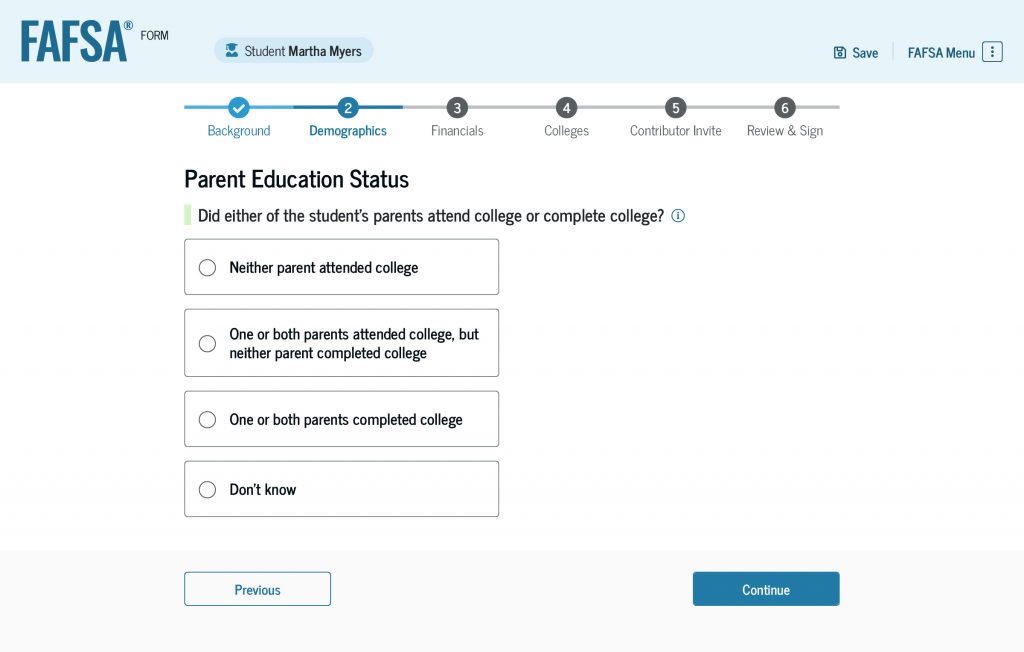
You’ll also be asked if your parent or guardian was killed in the line of duty while either (1) serving on active duty as a member of the U.S. armed forces on or after the events of 9/11, or (2) performing official duties as a public safety officer.
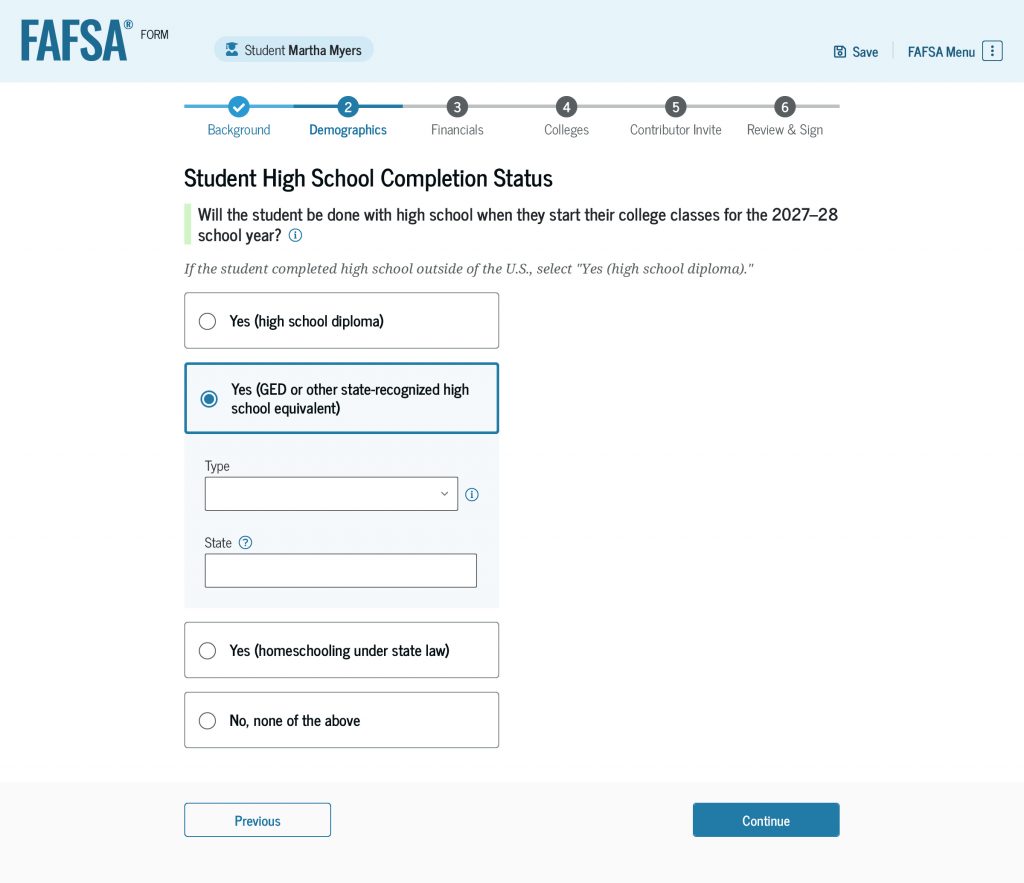
Next, you’ll select your high school completion status. If you select that you have or will have a high school diploma by the time you start college or career/trade school, you’ll provide information about the location and name of your high school.
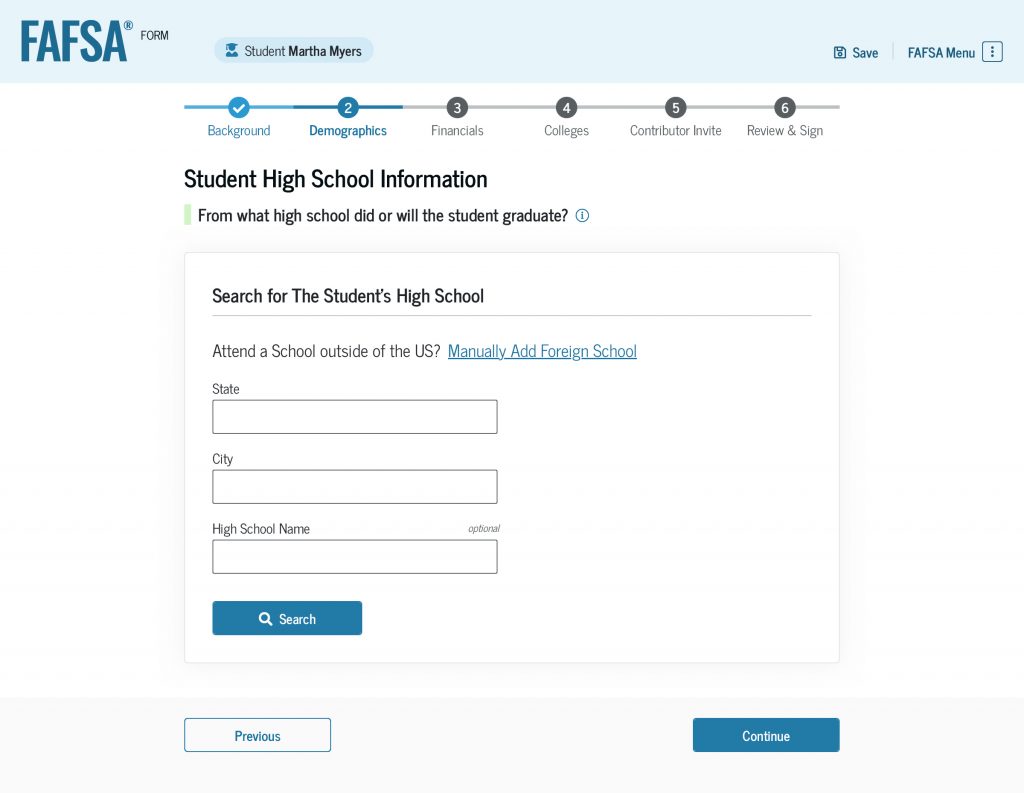
If you select GED or other state-recognized high school equivalent as your high school completion status, you’ll indicate the type and issuing state.
4
Financials
Next, you’ll enter your financial information. This will help determine your ability to pay for school. The questions in this section are different for dependent and independent students.
If your or your family’s finances aren’t accurately reflected on your FAFSA® form due to special financial circumstances, you should submit your form and then request an aid adjustment from your school.
Instructions for Dependent Students
The first question in the “Financials” section is about your tax filing status.
Next, you’ll provide other financial information. Because you already provided consent and approval to transfer your tax information from the IRS into your form, your federal tax information may not be required in this section. However, you’ll still need to enter responses in any fields that appear.
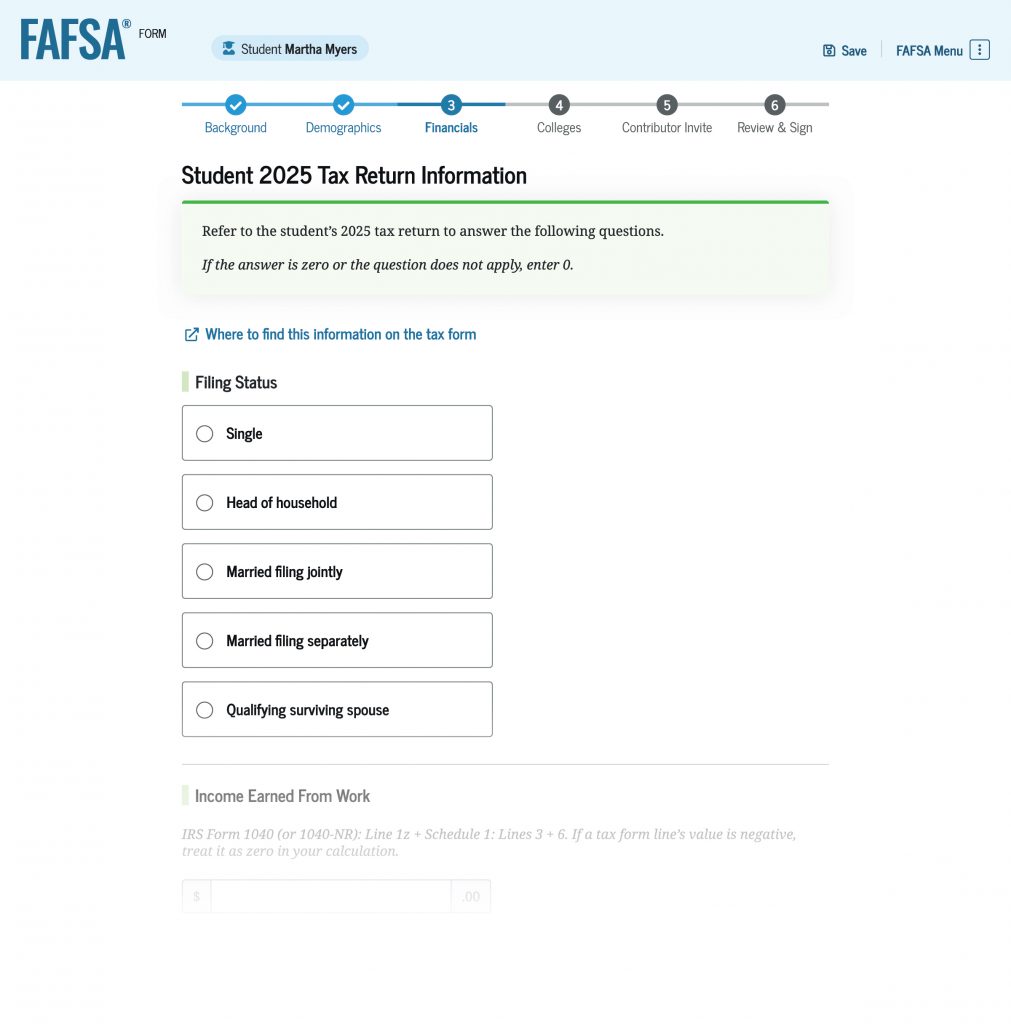
Enter your own financial information only. Your parent will enter their financial information when they complete their sections of your FAFSA form. If your answer to any of the questions is zero or if the question doesn’t apply to you, enter 0. Don’t leave any of the questions blank.
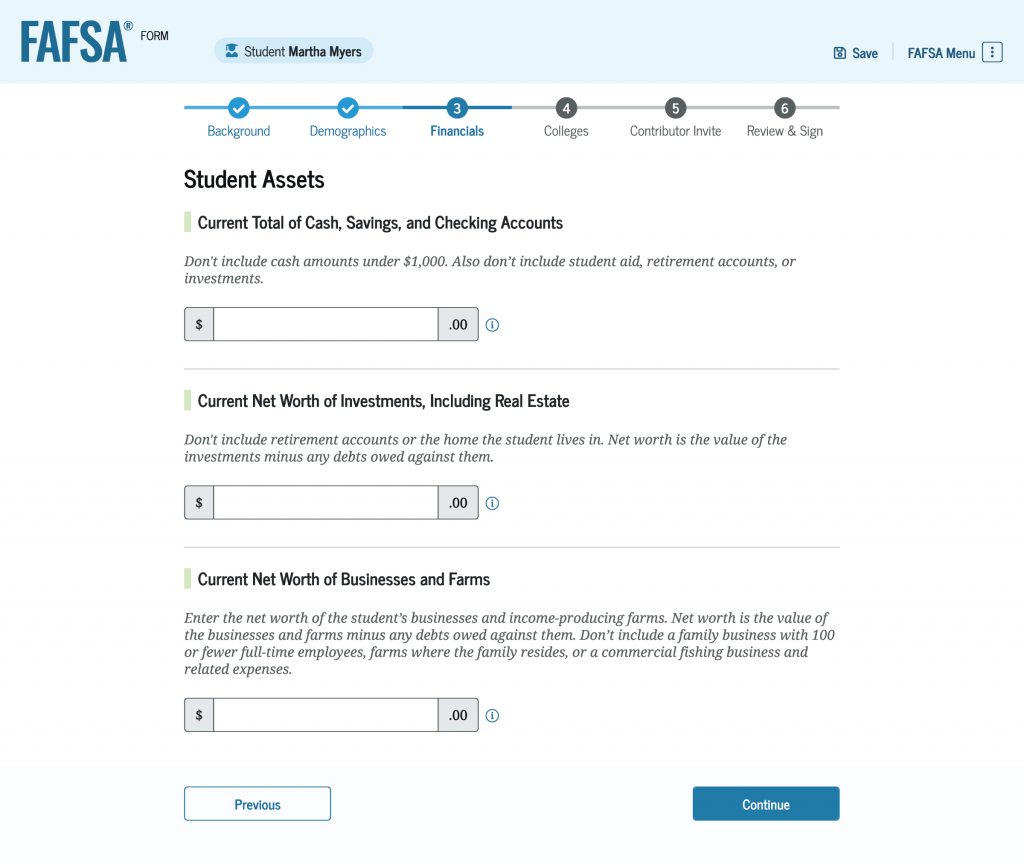
You’ll be asked to enter information about your assets, including your current total of cash, savings, and checking accounts. Remember: It’s OK if your answer is zero—just enter 0.
You may also be asked about the net worth of certain investments, including real estate, businesses, and income producing farms. You should only list the types of investments requested on the form. Don’t include retirement accounts. For details, read our help article on how to report the net worth of businesses and income-producing farms.
Instructions for Independent Students
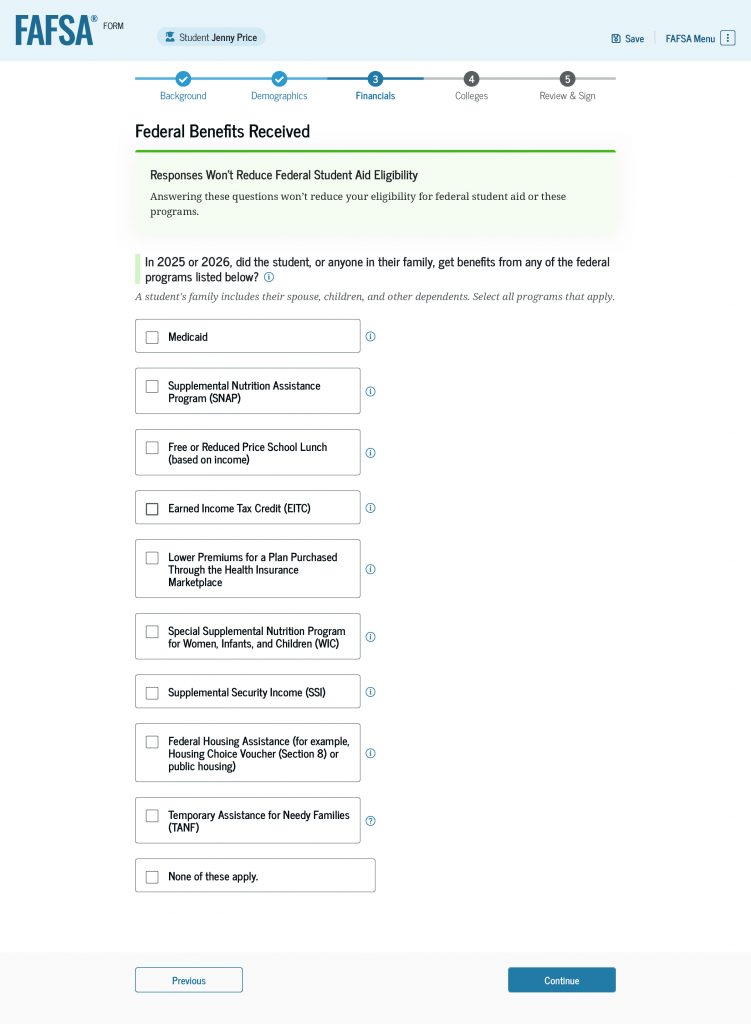
If you’re an independent student, you’ll first answer if you or anyone in your family received certain federal benefits. Then, you’ll respond to questions about your tax filing status.
Next, you’ll provide information about your family size and the number of people in your family who will be in college during the school year for which you’re applying for financial aid.
Because you already provided consent and approval to transfer your tax information from the IRS into your FAFSA form, your federal tax information may not be required in this section. However, you’ll need to provide other financial information.
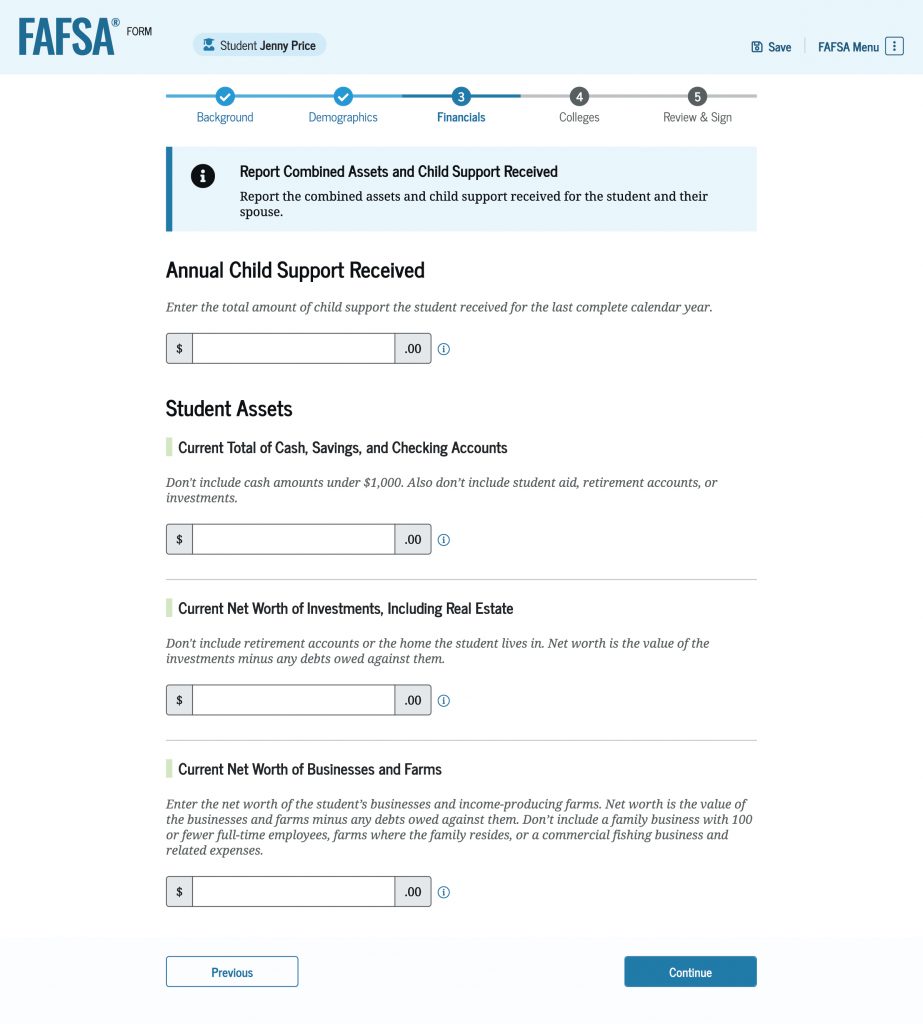
You’ll be asked to enter the amount of child support you’ve received (if any) for the last complete calendar year. You’ll also be asked to enter information about your assets, including your current total of cash (amounts more than $1,000), savings, and checking accounts. Make sure you report the amount for each item requested. If your answer is zero, then enter 0.
You’ll also be asked to enter the net worth of your investments, including real estate, businesses, and income-producing farms. Read our help article on how to report the net worth of businesses and income-producing farms.
5
Colleges and Career Schools
In this section, you’ll select the school(s) you’re considering or planning to attend. They will automatically receive your FAFSA information and use it to determine the types and amounts of student aid you may be eligible to receive.
You must add at least one school to your online FAFSA form. You can add up to 20 colleges, career schools, and trade schools. Include all the schools you’re considering, even if you’re not sure you’ll apply to all of them. You can add or delete schools on your form later.
Search for schools by entering the school’s name or federal code and then selecting “Search.” You can also use the “Search by Location” tab and enter a specific state and city (optional) to see a list of schools.
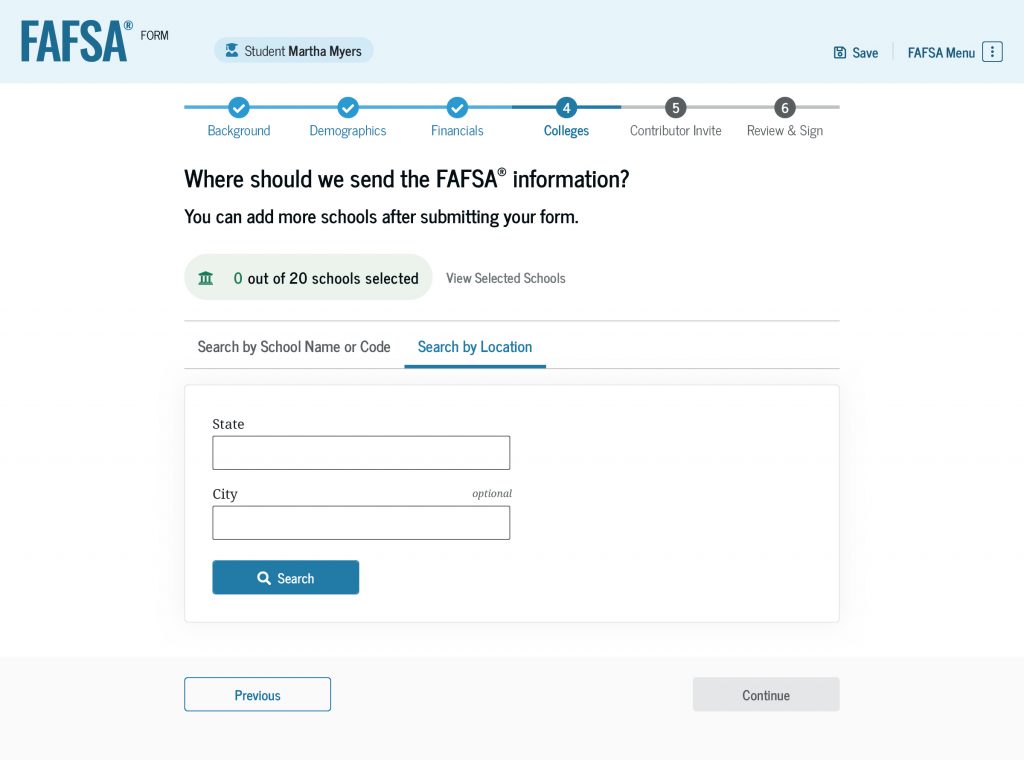
Next, you’ll select the correct school from your search results.
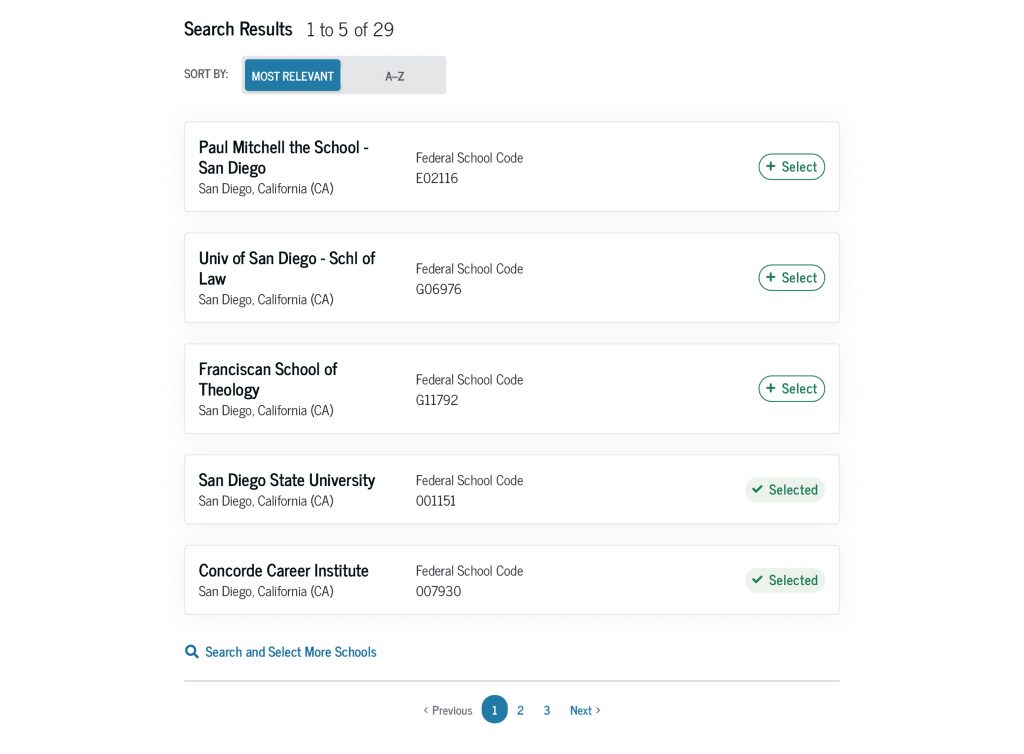
Repeat this process to add each of the schools you want to receive your FAFSA form. After you’re done, review your list of schools. Select “Continue” to move to the next section.
The order in which you list the schools doesn’t matter for federal student aid. But some states require that the schools be listed in a specific order to be considered for state aid. If you live in one of these states, a message about your state’s requirements will appear on the FAFSA form and you’ll be able to reorder the schools you selected.
6
Invite a Parent or Spouse
If the FAFSA form determined that you’re a dependent student, you’ll be required to invite a legal parent (a biological or adoptive parent as determined by the state) to participate on your form. If that parent is married (and not separated) but didn’t file taxes jointly, they’ll also be required to invite their spouse.
Not sure which parent you should invite? Find out by using the Who’s My FAFSA Parent? wizard, our tool that helps you determine which parent should be invited to complete their sections of your form.
If you’re an independent student and you’re married (and not separated), and you didn’t file taxes jointly with your current spouse, you’ll be required to invite your spouse to your FAFSA form.
How To Invite Your Parent or Spouse
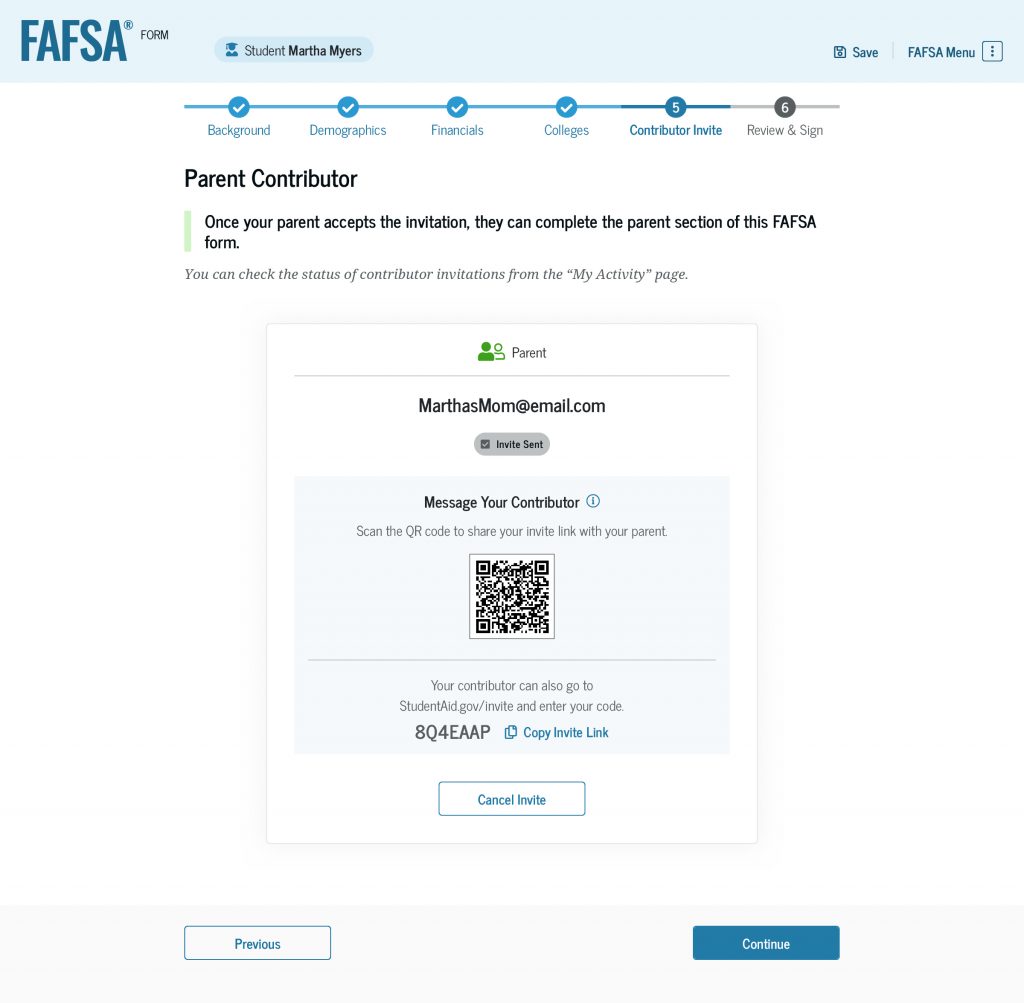
To invite your parent or spouse to your FAFSA form, you’ll enter their email address and select “Send Invite.” After you confirm their email address, they’ll receive an email invitation to your form.
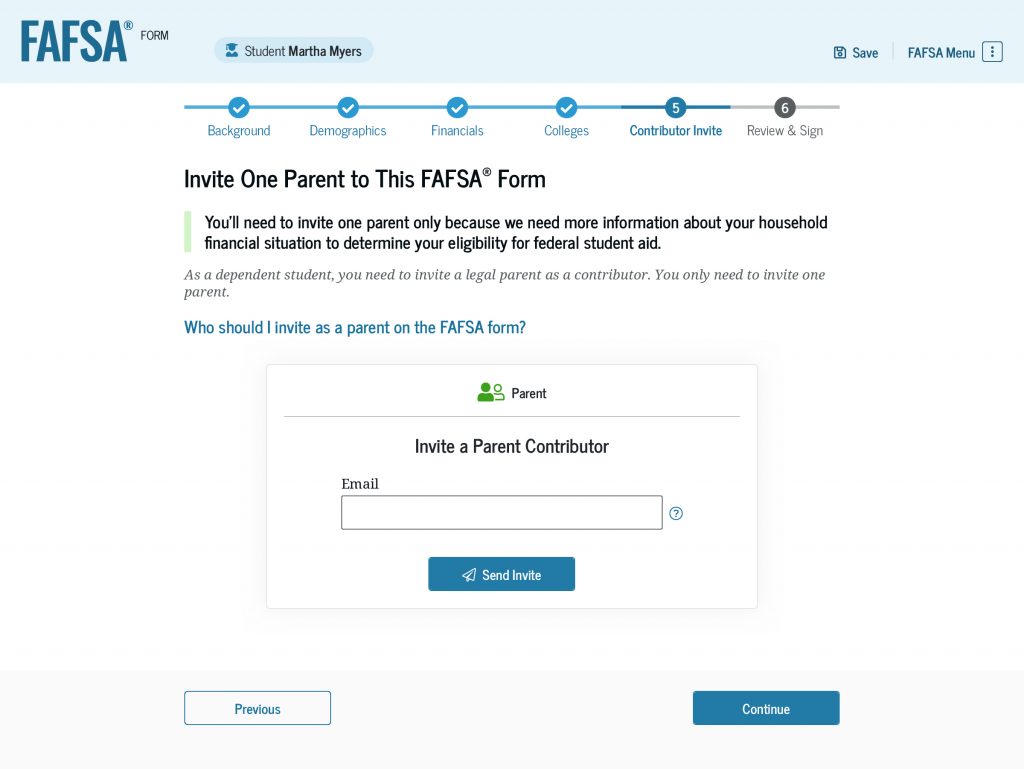
On the next screen, you’ll see confirmation that the invitation email was sent. You’ll also receive an invite link and code that you can share with your parent or spouse. You’ll have the option to send them a personalized message as well.
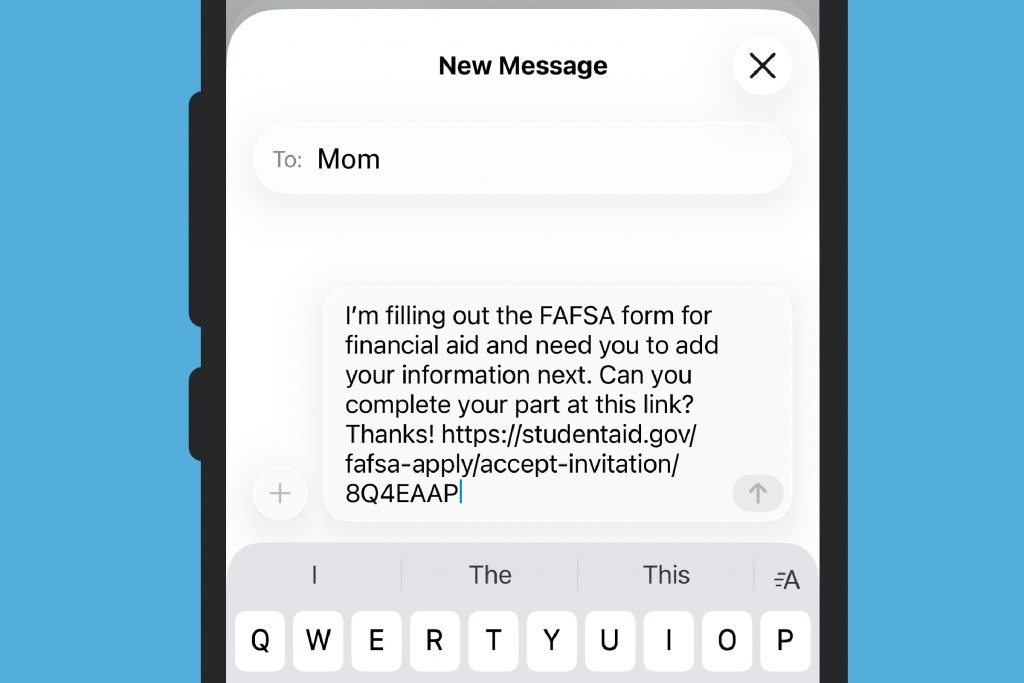
Remember: Your parent or spouse will need their own StudentAid.gov account to access, fill out, and sign your FAFSA form.
7
Review and Sign
You made it! You’re on the last section of your FAFSA form. Before you sign it, review your responses. You can select “Expand All” to review all of them, or you can expand each section individually.
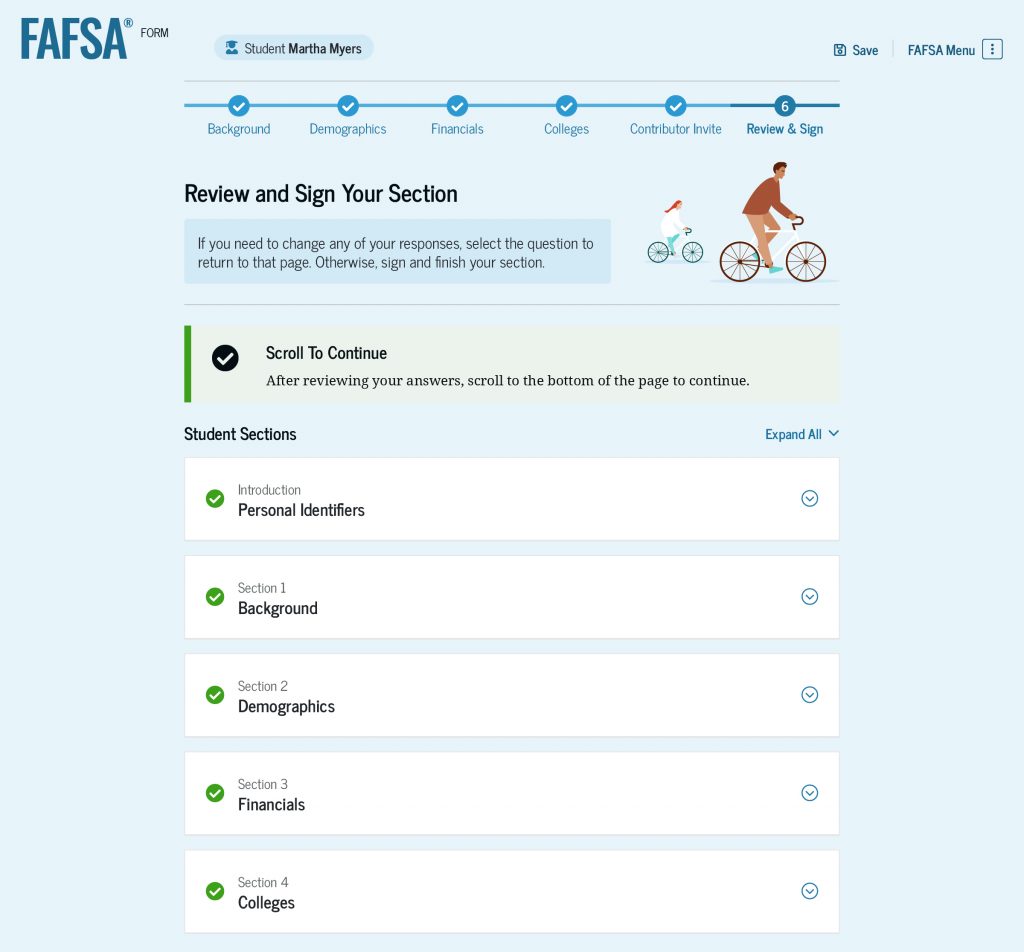
To fix or update an answer, select the hyperlinked question. This will take you straight to the page where you can make the correction.
If you invited your parent or spouse to participate on your form, you’ll also see their invite information and the status of their sections.
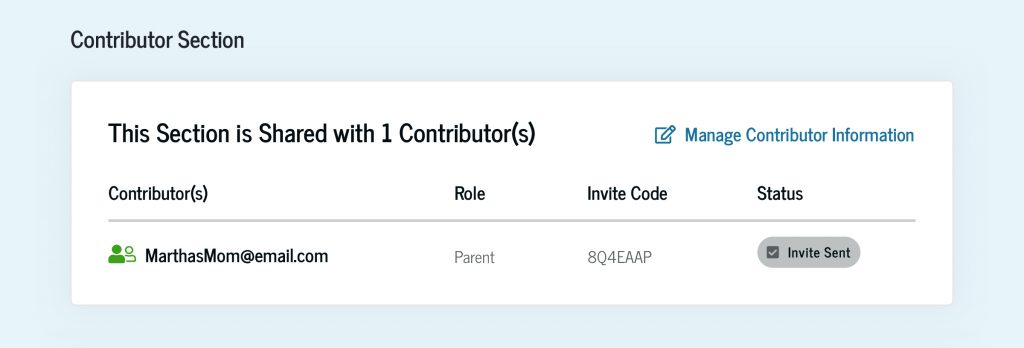
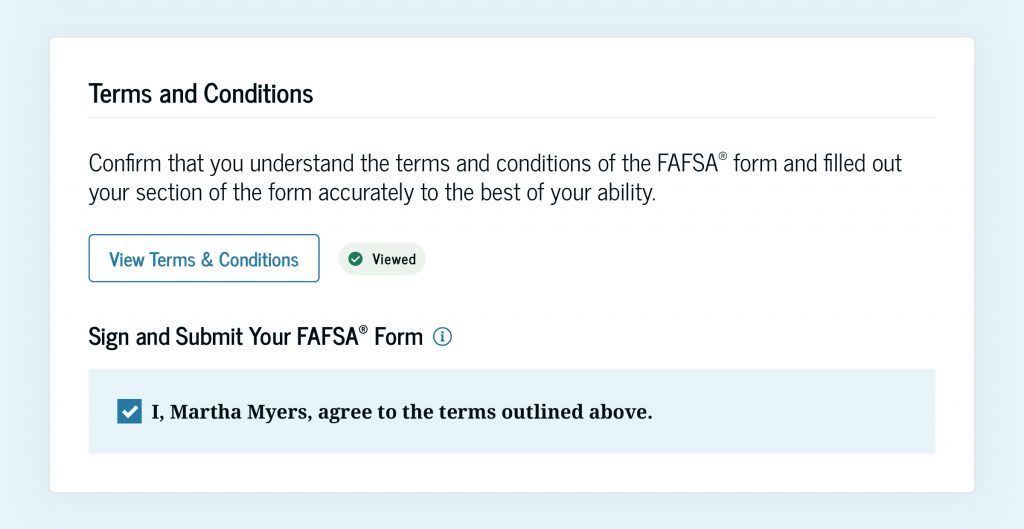
Once you’ve checked that your FAFSA answers and parent or spouse information are accurate, review the terms and conditions of what you’re agreeing to when you sign your form. When you’re ready to sign your form, select the checkbox to agree to the terms.
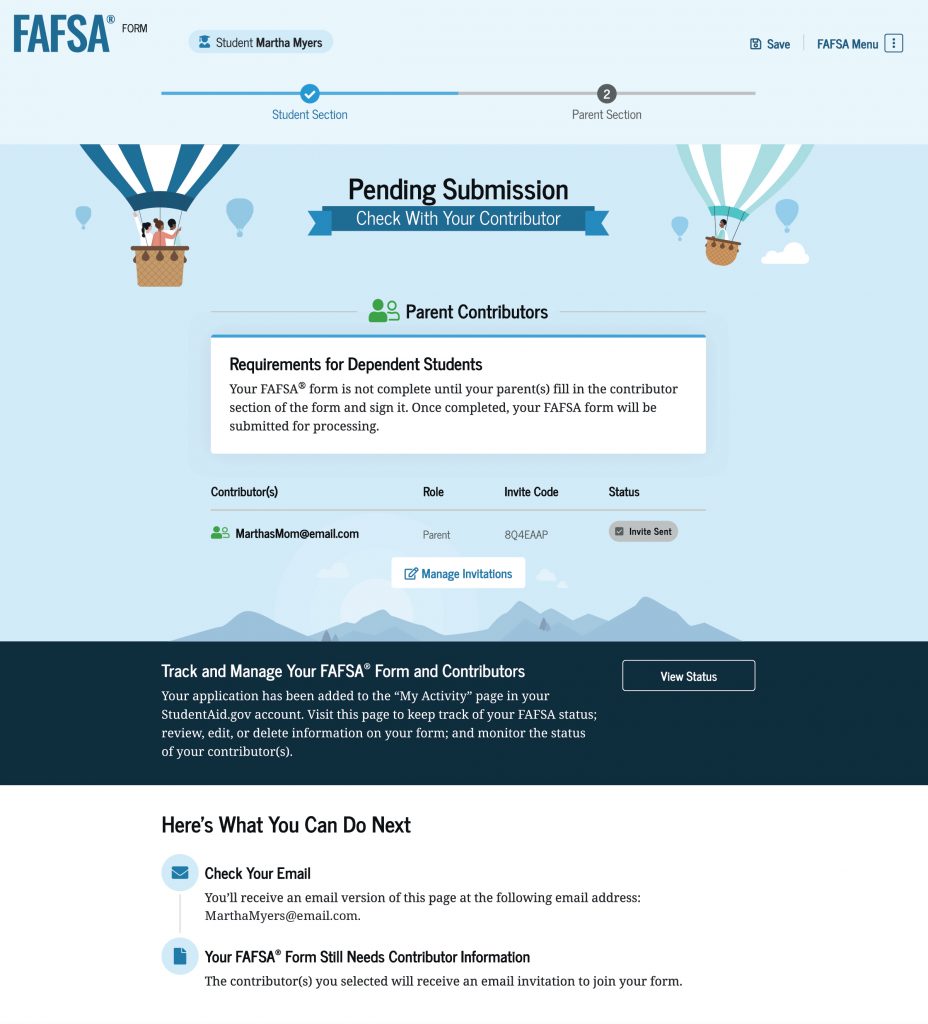
Important: If you’re required to invite a parent or spouse to participate on your FAFSA form, they’ll need to complete and sign their sections before your form can be submitted. If they haven’t completed and signed their sections of the form, you’ll see a button that says “Finish Student Section.”
Submitting Your FAFSA® Form
When your form is complete, select the “Submit FAFSA Form” button.
Congratulations! You’ve completed your FAFSA form. Most students’ forms are processed immediately, but some take one to three days.
If your form is processed immediately, you’ll see a page that says your FAFSA results are ready. You can view them by selecting the link to review your FAFSA Submission Summary. You’ll also receive an email that includes this link.
Your FAFSA Submission Summary will help you understand next steps. Review your FAFSA Submission Summary closely. It may indicate that you were selected for verification of your aid eligibility or need to make a correction to your form. To learn more, read our “FAFSA Submission Summary: What You Need To Know” article.
If your form isn’t processed immediately, you’ll see a page that confirms you successfully submitted your FAFSA form and outlines next steps. Once your form is processed, you’ll receive an email with a link to your FAFSA Submission Summary.
To avoid delays with your federal student aid and increase your chances of getting additional aid for school, you can take a few steps after you submit your FAFSA form.
Read our “7 Things To Do After Submitting Your FAFSA® Form” article to learn what to do next.
Published: September 2026