Top FAQs About Income-Driven Repayment Plans

The online income-driven repayment (IDR) plan application is available. Stay up-to-date on court actions affecting IDR plans.
Are you struggling with your federal student loan payments? On an income-driven repayment (IDR) plan, your monthly payment is based on your income and family size. Applying is free.
This article will answer these common questions:
- What are the income-driven repayment (IDR) plans?
- Am I eligible for an IDR plan?
- How can I confirm what repayment plan I’m enrolled in?
- How can I compare repayment plan options?
- What are the pros and cons of IDR plans?
- How do I apply for an IDR plan?
- What if my income or family size changes but I’m already enrolled in an IDR plan?
- When am I required to recertify my income for my IDR plan?
- How can I check the status of my IDR application request?
1
What are the income-driven repayment (IDR) plans?
There are several IDR plans:
- Income-Based Repayment (IBR) Plan
- Income-Contingent Repayment (ICR) Plan
- Pay As You Earn (PAYE) Repayment Plan
- Saving on a Valuable Education (SAVE) Plan
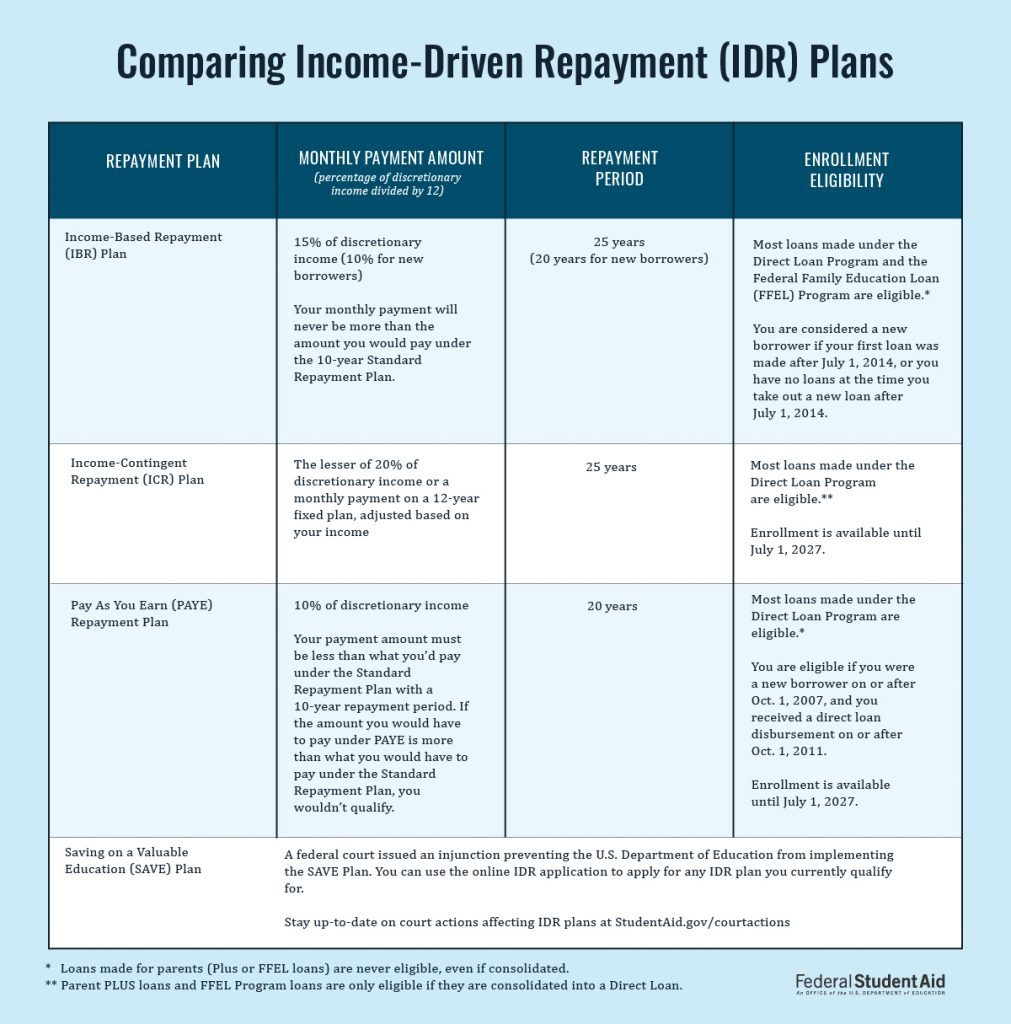
The following table compares the maximum monthly payment amounts and repayment periods under each plan.
After you complete the repayment period for each IDR plan, your remaining balance is forgiven.
Note: If an IDR plan doesn’t meet your repayment goals, there are other repayment plans available.
2
Am I eligible for an IDR plan?
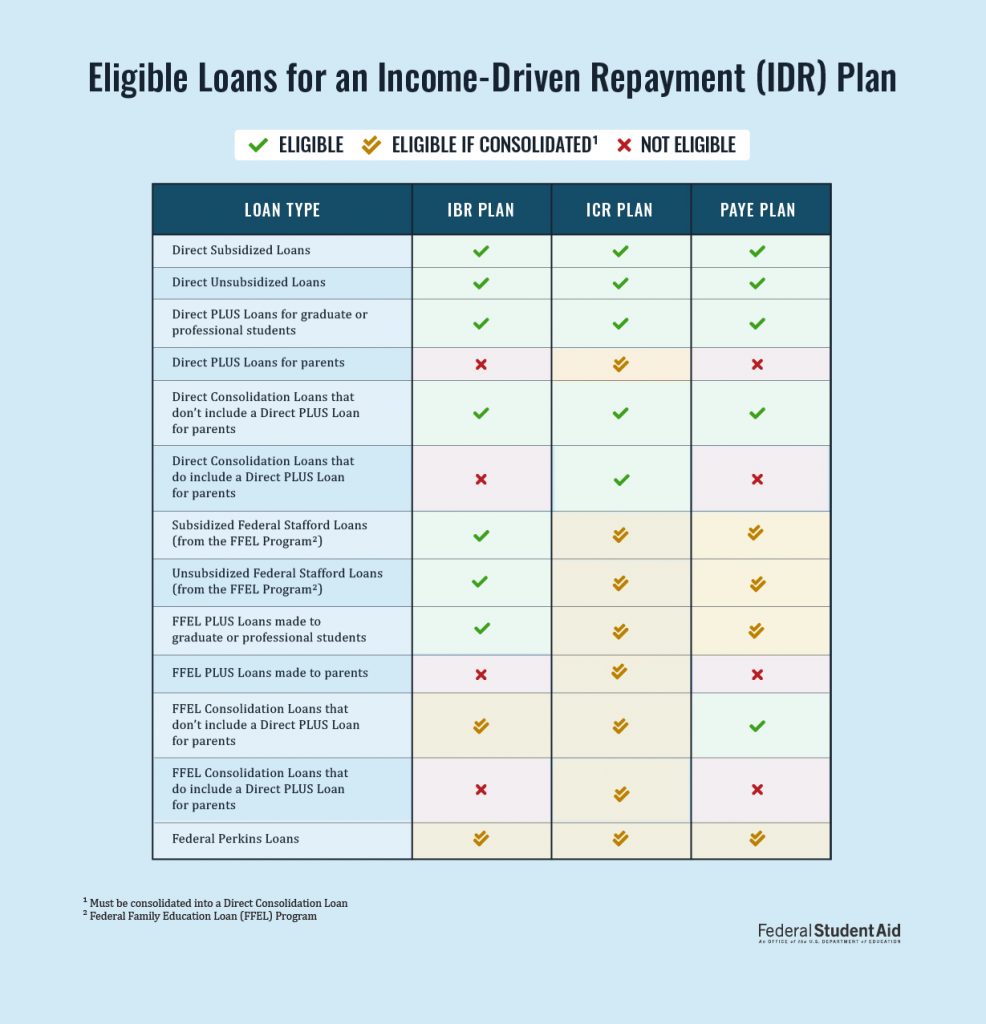
Most federal student loans are eligible for at least one IDR plan. Review the specific eligibility requirements to see which plan(s) you qualify for. Keep in mind that your loan type can affect your eligibility for each IDR plan. Log in to StudentAid.gov and visit your Dashboard to check your loan type(s). In some cases, you might need to consolidate your student loans to be able to repay the loan under a specific plan.
Defaulted loans are not eligible for any IDR plans. Learn how to get out of default.
While Direct PLUS Loans for parents and Federal Family Education Loan (FFEL) Program PLUS Loans for parents are not eligible for any of the IDR plans, parent PLUS loan borrowers do have the option to consolidate their Direct PLUS Loans and PLUS Loans from the FFEL Program into a Direct Consolidation Loan. Doing so would make them eligible for the ICR Plan.
3
How can I confirm what repayment plan I’m enrolled in?
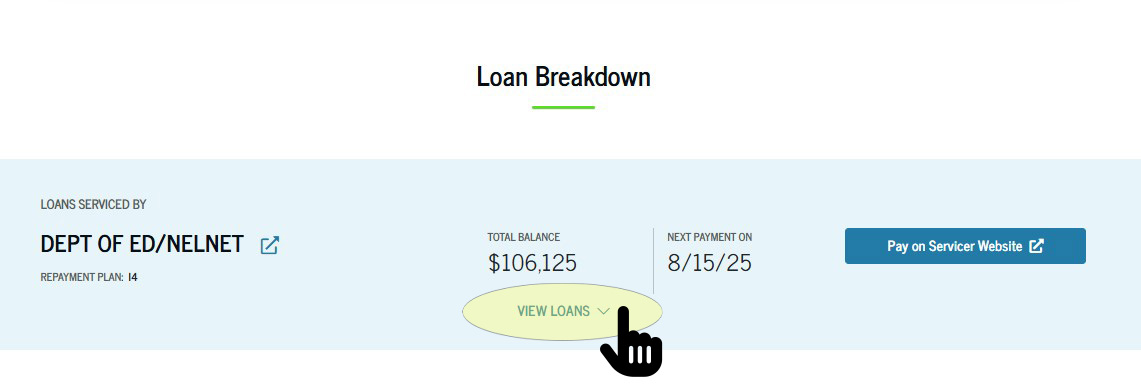
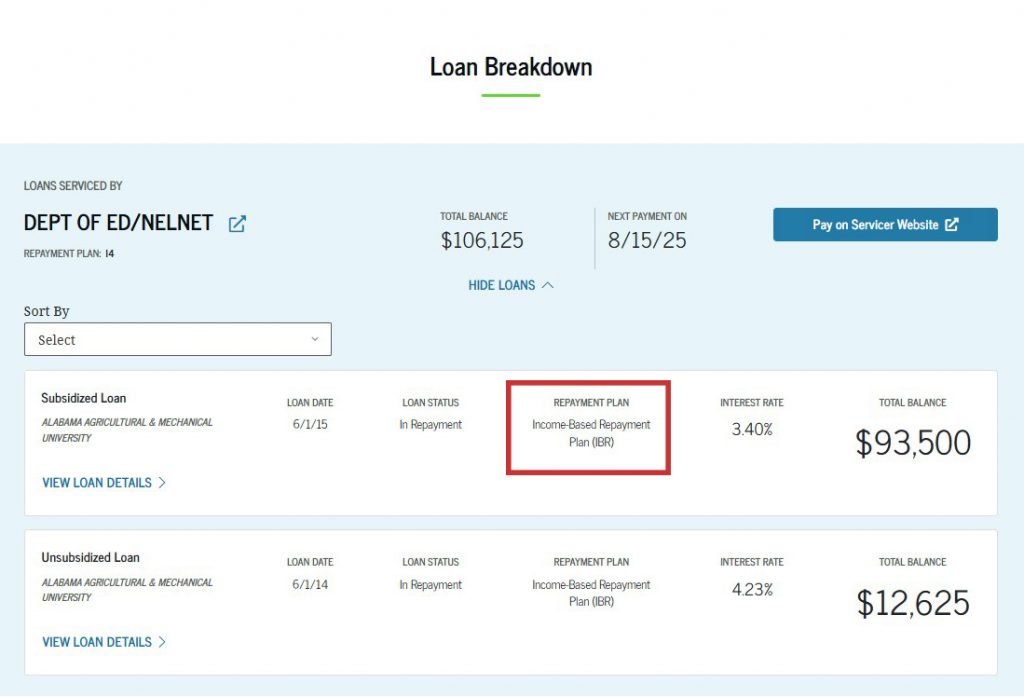
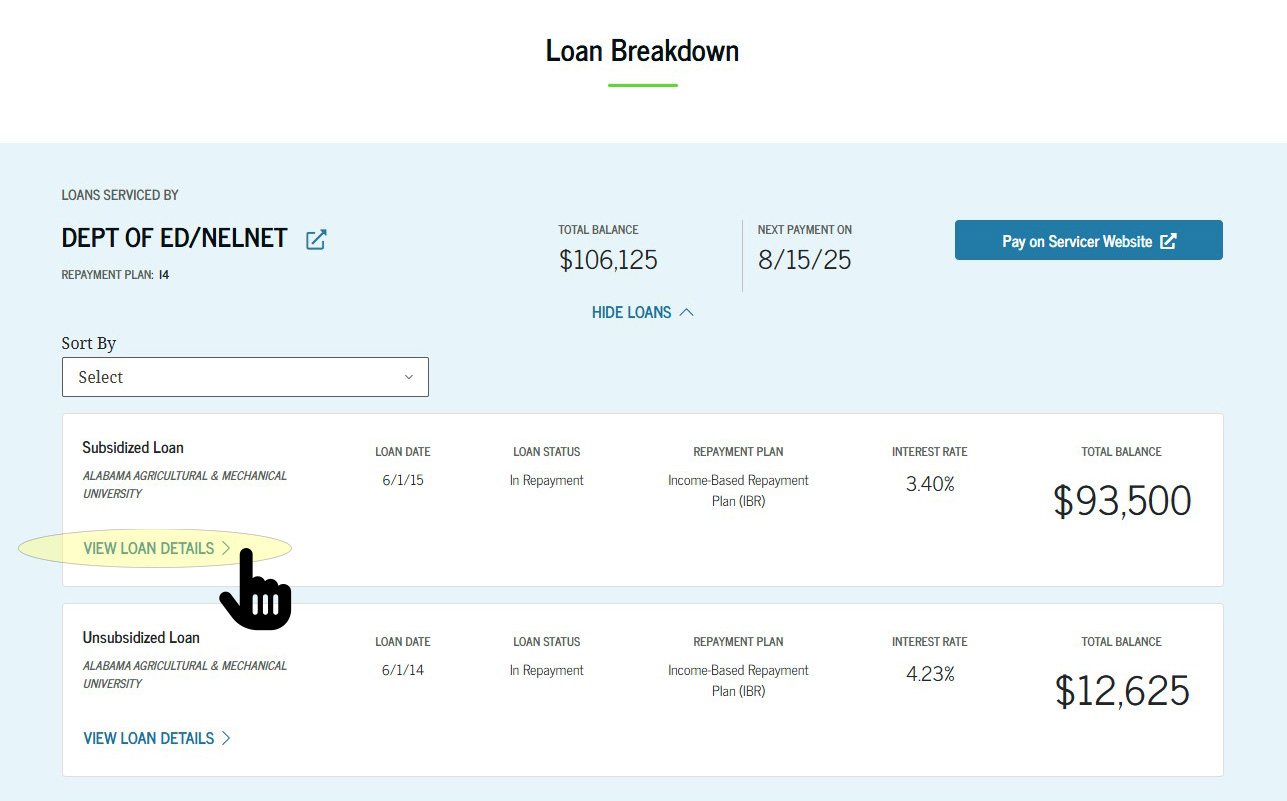
To check what repayment plan you’re currently enrolled in, select “View Details” on your account Dashboard.
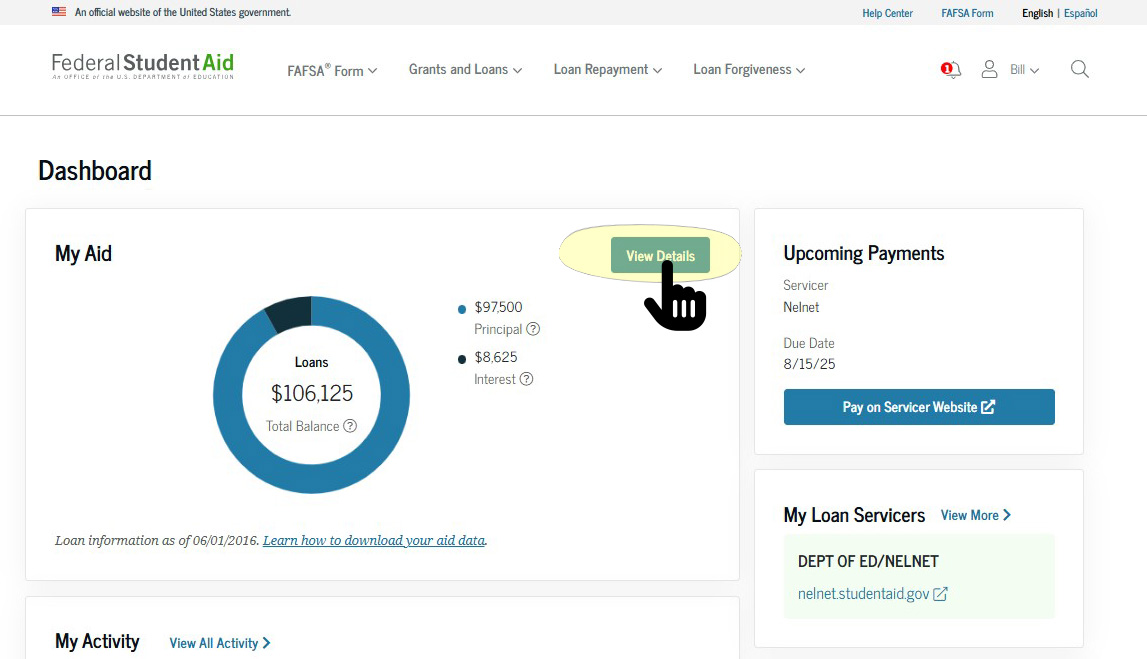
At the bottom of the View Details page, you’ll see a section called “Loan Breakdown.” You can select “View Details” to confirm what repayment plan you’re currently enrolled in.
4
How can I compare repayment plan options?
You can use Loan Simulator to see how your loan repayment would change under different repayment plans. Loan Simulator can help you estimate your
- monthly payment amount,
- repayment period,
- projected loan forgiveness, and
- total amount you’ll pay over the life of your loan.
Loan Simulator will ask for basic information about your income, family size, tax filing status, and state of residence, then present different plan options for you to review.
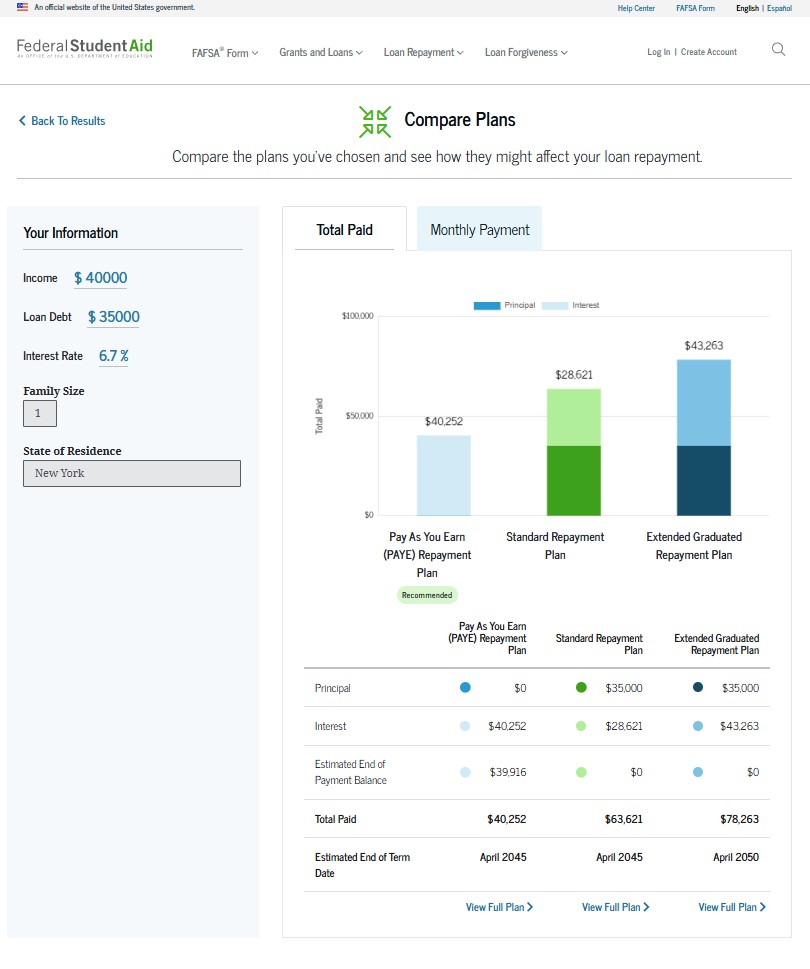
For more information and tips about using the student loan payment calculator, watch our tutorial video: Use Loan Simulator To Find the Right Repayment Plan for You.
5
What are the pros and cons of IDR plans?
There are pros and cons to being on an IDR plan. Below we’ve listed some of the more significant items to note.
| Pros | Cons |
|---|---|
|
|
Loan servicers manage your loans and are a helpful resource if you have questions. Contact your loan servicer to learn more about your available repayment plan options.
6
How do I apply for an IDR plan?
The free application process starts with submitting an IDR Plan Request. Please note: You must first log in to your StudentAid.gov account to access the application.
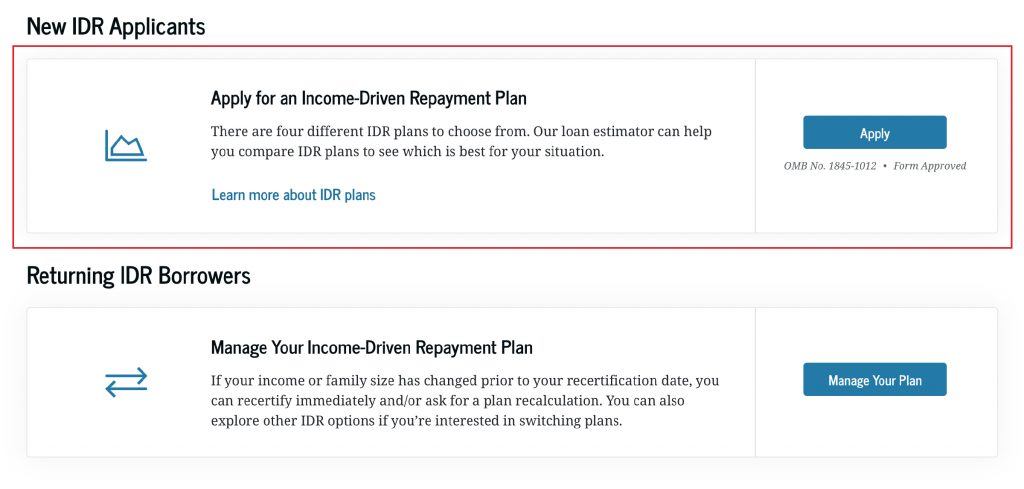
You will have the option to either
- import your financial information or
- upload proof of income for your servicer to enroll you.
Along with your application, you’ll need to provide income information. The easiest way to do this is by providing consent for us to securely access your federal financial information, which is an option within the IDR application. Alternatively, you can provide documentation, such as your most recent tax return. If you didn’t file taxes, other acceptable income information can include pay stubs or a letter from your employer.
If you have eligible loans, we recommend that you provide consent for us to obtain your federal tax information directly from the IRS. This allows us to process your application faster and eliminates the time-consuming work of manually uploading your income information. By providing consent for us to access your federal tax information, we can automatically recertify your IDR plan each year.
7
What if my income or family size changes but I’m already enrolled in an IDR plan?
If your IDR plan’s monthly payment amount doesn’t reflect your current situation (for example, if you were recently laid off or your family size has increased), you can submit updated information to request that your monthly payment be recalculated, which may lower your monthly payment amount. When asked about your finances, answer questions based on your situation as of today.
There are two ways to submit more information to support your request:
- (Recommended) Log in to your StudentAid.gov account and then select “Manage Your Plan” on the IDR Plan Request page.
- Submit additional documentation to your servicer directly online though their website.
Income Documentation Requirements
- Include documentation of pay frequency (for example, twice per month or every other week) and at least one piece of documentation for each source of taxable income.
- The date of any supporting documentation you provide must be no older than 90 days from the date you sign this form. (Tax returns are the only exception to this rule and can be up to a year old at the point of submission.)
- Copies of documentation are acceptable.
8
When am I required to recertify my income for my IDR plan?
You’re required to recertify your income or family size once per year. For most borrowers, you won’t need to recertify until 2026. Note that servicers have started updating recertification dates, but the process will take time.
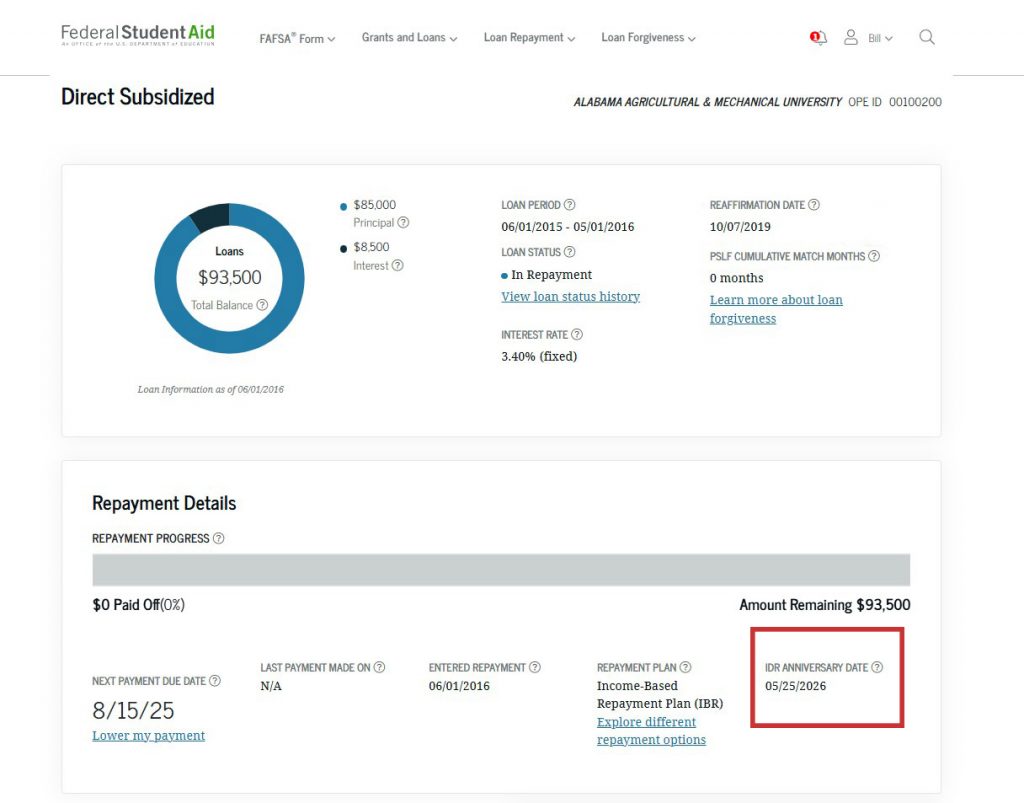
You can view your IDR recertification date by logging in to your account Dashboard. In the My Aid section, select “View Details.” Scroll down to the Loan Breakdown section and select “View Loans” from the dropdown menu, then select “View Details.”
The “IDR Anniversary Date” listed is your IDR recertification date. However, because it takes time for servicers to process your IDR recertification, you must submit your recertification before the date shown. It is recommended that you submit your recertification between 30 and 90 days before your recertification date.
If you’re logged in to your StudentAid.gov account, you also can select the owl icon in the bottom right corner of the screen and ask our virtual assistant, Aidan, to confirm your recertification date.
The good news is that if you’ve granted your consent for us to access your tax information, you may be eligible for autorecertification of your IDR plan on its recertification date.
You can provide consent within the IDR application under the “Authorization To Retrieve Federal Tax Information” section of the application.
If you aren’t submitting an updated IDR application, follow the steps below to enable autorecertification for IDR plans:
- Log in to your StudentAid.gov Dashboard.
- Select the arrow next to your name (top right corner) and then “Settings” from the dropdown list.
- Select “Financial Information Access” on the left side of your screen.
- If consent is not on file, select the “Provide Consent” button.
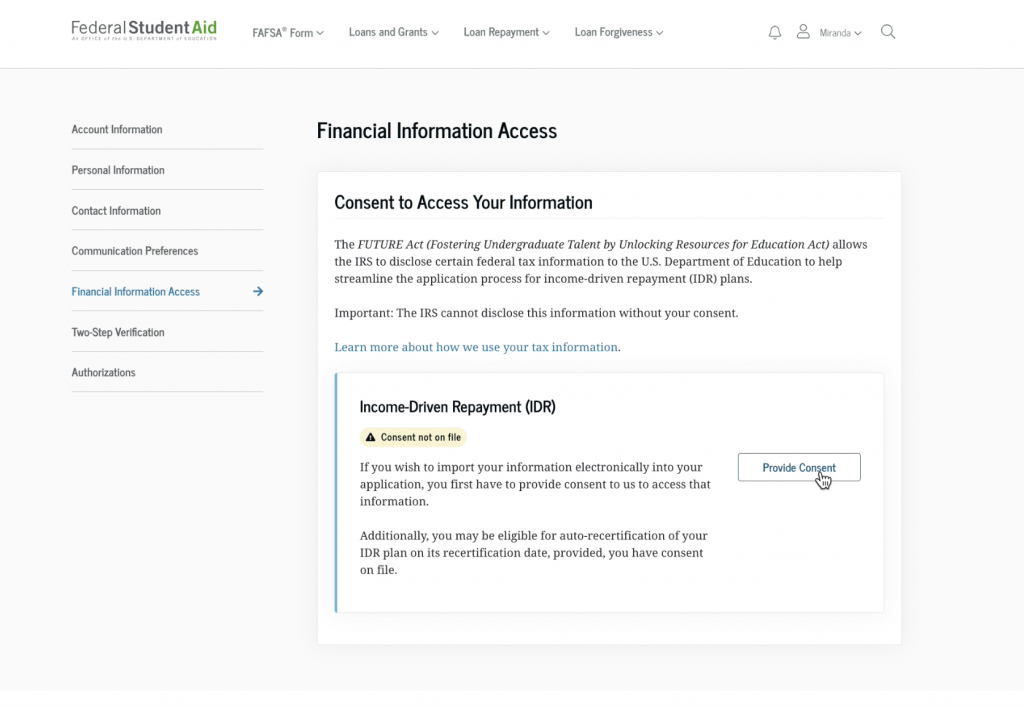
- After reading the “Authorization to Retrieve Federal Tax Information” agreement, scroll to the bottom of the page and select the blue “Provide Approval” button.
- The next page will confirm your change, and you’ll see “Consent on file” listed under the “Income-Driven Repayment (IDR)” header.
9
How can I check the status of my IDR application request?
To check the status of your Income-Driven Repayment (IDR) Plan Request, log in to your My Activity page.
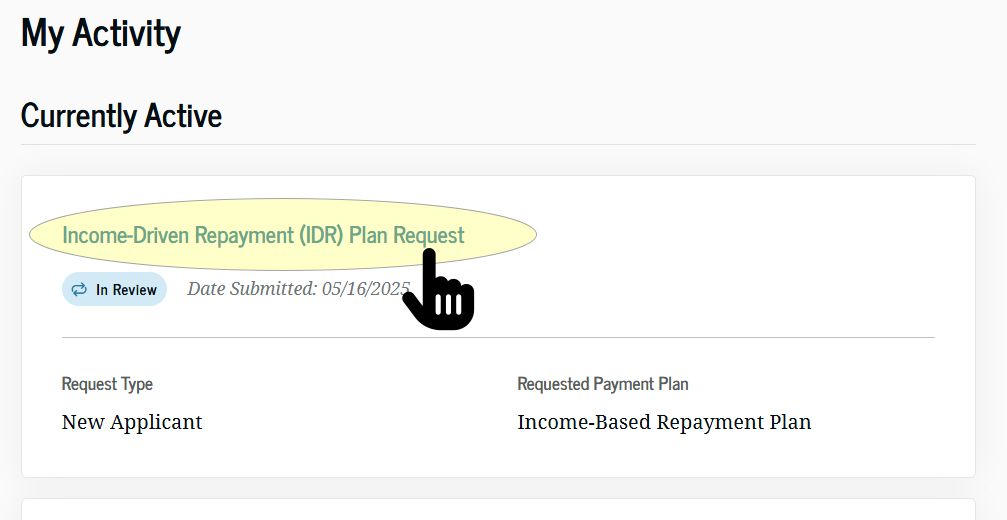
You might see one of the following statuses listed:
- Draft
- In Progress
- Cancelled
- In Review
- Action Required
- Completed
If you’re required to manually provide a signature because your servicer doesn’t support e-signature, you’ll see the Action Required status. If your application for an IDR plan is cancelled within the loan consolidation application before being submitted to servicers, you’ll see the Cancelled status.
Select the application to view more status details.
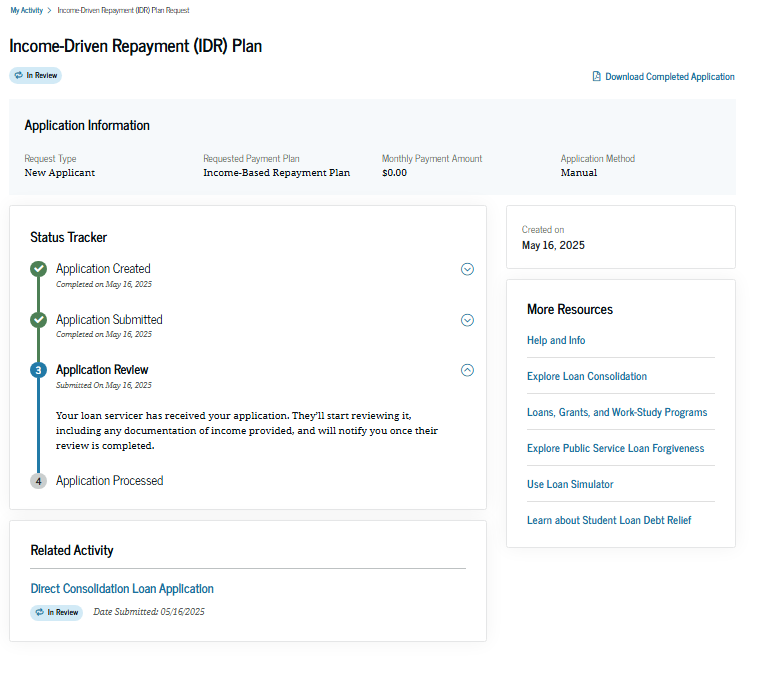
Note that “Manual” will appear for all applications other than those created through autorecertification.
Servicers may place borrowers into a different forbearance category known as “processing forbearance” if the servicers need additional time to process those borrowers’ applications to enroll in IDR, recalculate their payments on an IDR plan, or recertify their incomes for their IDR plan. Processing forbearances will last no longer than 60 days. Learn more about different types of forbearances under the “Student Loan Borrower Q&A.”
As a reminder, you never have to pay for help with your federal student loans. If you have questions about managing your loans, contact your loan servicer for free help. And make sure to avoid student aid scams.