Compare Repayment Plans With Our Repayment Calculator
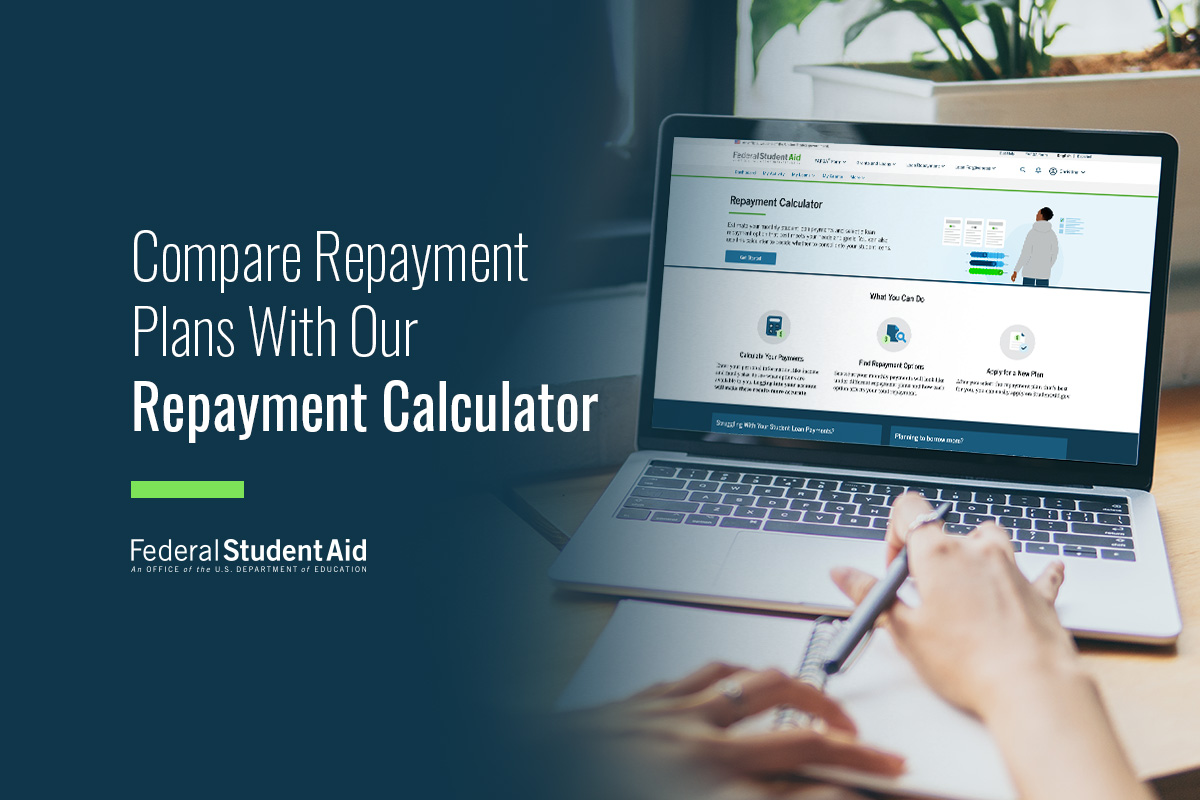
With our Repayment Calculator (formerly called Loan Simulator), it’s easier to understand your student loan repayment options and choose the repayment plan that’s best for you.
The calculator helps you review the different repayment plans your loans are eligible for, your estimated monthly payment amount under each plan, and the estimated total amount you’ll pay over the life of the loan. You can also explore repayment options if you’re considering consolidating your federal student loans or applying for Public Service Loan Forgiveness (PSLF). Comparing repayment plans side by side can help you make an informed decision that meets your financial goals.
The results provided by the Repayment Calculator are estimates only. After you apply for a repayment plan and your student loan servicer processes your information, the final terms (including your monthly payment amount) will be set by your servicer.
In this article, we cover different ways that you can use the Repayment Calculator:
- Compare repayment plans you’re eligible for
- Estimate your monthly payment amount
- Estimate the total amount you’ll pay
- Explore repayment plans for PSLF
- Understand how consolidation affects your repayment options
- Understand repayment plan changes coming in 2028
- Apply for the repayment plan that’s best for you
1
Compare repayment plans you’re eligible for
There are multiple federal student loan repayment plans available to borrowers, but which plans you’re eligible for depends on your student loan type and when your loans were first disbursed (paid out).
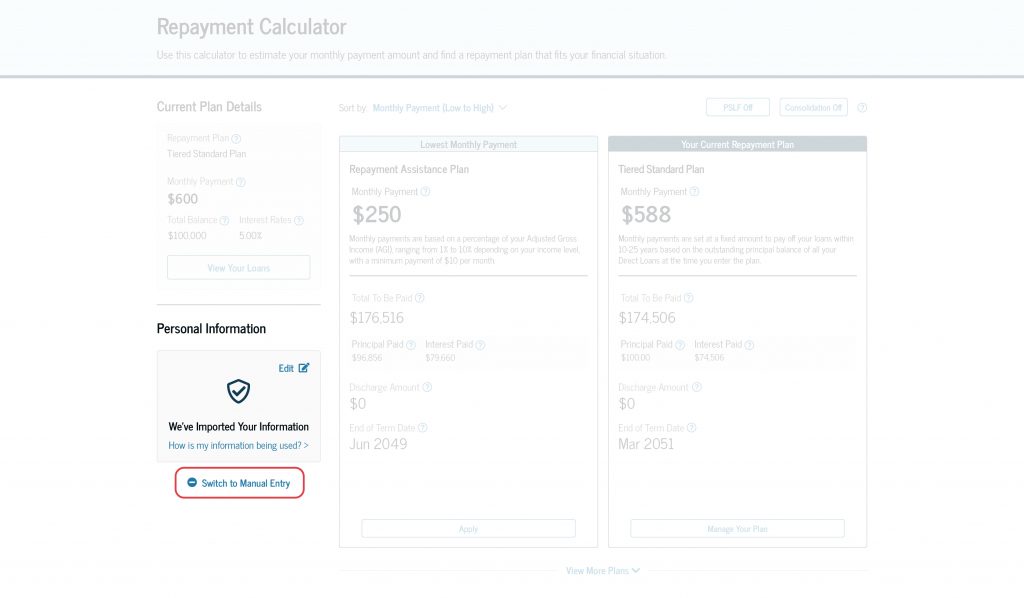
Before you get started with our Repayment Calculator, it is recommended that you log in to your StudentAid.gov account so your loan details can be automatically retrieved and your eligible repayment plans can be displayed. If you don’t log in to your StudentAid.gov account, you can enter your loan details manually in the Repayment Calculator.
We also recommend providing consent and approval to import your financial information directly from the IRS into the Repayment Calculator. This will make the monthly payment amount estimates more accurate, especially if you’re exploring income-driven repayment (IDR) plans. Providing consent and approval can make using the Repayment Calculator quicker and more accurate since you won’t have to enter your income information manually, and you’ll avoid accidentally entering incorrect information.
If you have Federal Family Education Loan (FFEL) Program loans, you won’t be eligible to import your federal tax information. You’ll need to manually enter your income information when using the Repayment Calculator.
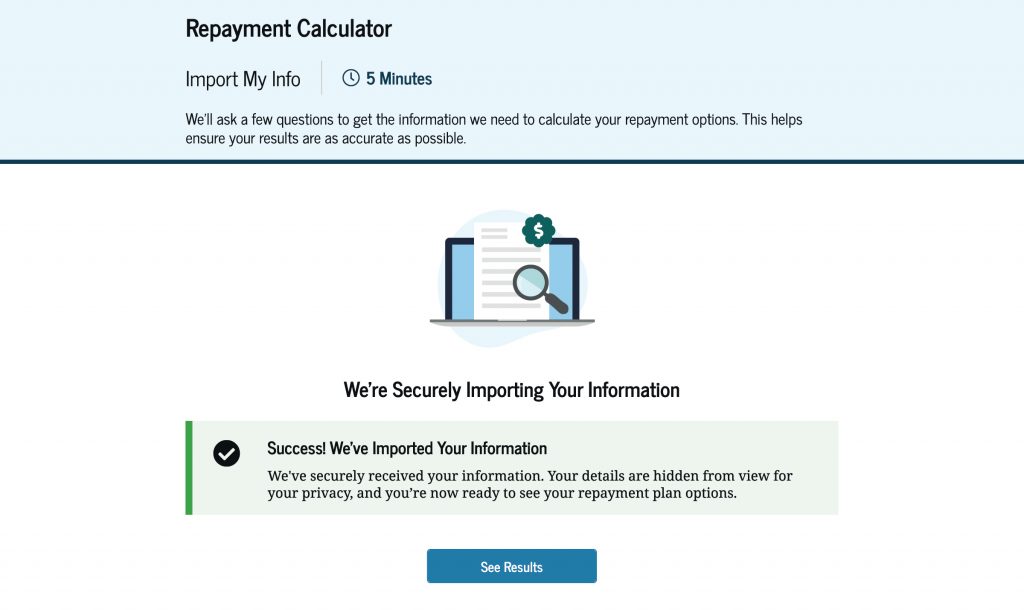
Next, you can review and compare your repayment plan options. If you’re currently in repayment, you’ll see the repayment plan you’re currently enrolled in, as well as other plans you’re eligible for.
Our Repayment Calculator provides you with information you need to make an informed decision about which repayment plan meets your financial goals, including which plan offers you the lowest monthly payment or the fastest payoff. The tool also allows you to compare details about each repayment plan you’re eligible for, including
- estimated monthly payment,
- how monthly payments are calculated,
- estimated total to be paid,
- principal and interest to be paid,
- discharge amount, and
- end of term date (date your loan will be paid off).
The Repayment Calculator will show you your recommended plans first. You can select “View More Plans” to see additional repayment plans. If you see “Ineligible” at the top of a repayment plan, that means your student loans aren’t eligible for that plan. However, you may be able to take steps, like consolidating your loans, to become eligible. Select the “Learn how you could become eligible for this plan” link to understand what steps you may need to take.
When comparing your repayment plan options, you can sort by “Monthly Payment (Low to High),” “Total Paid (Low to High),” and “Fastest Payoff.”
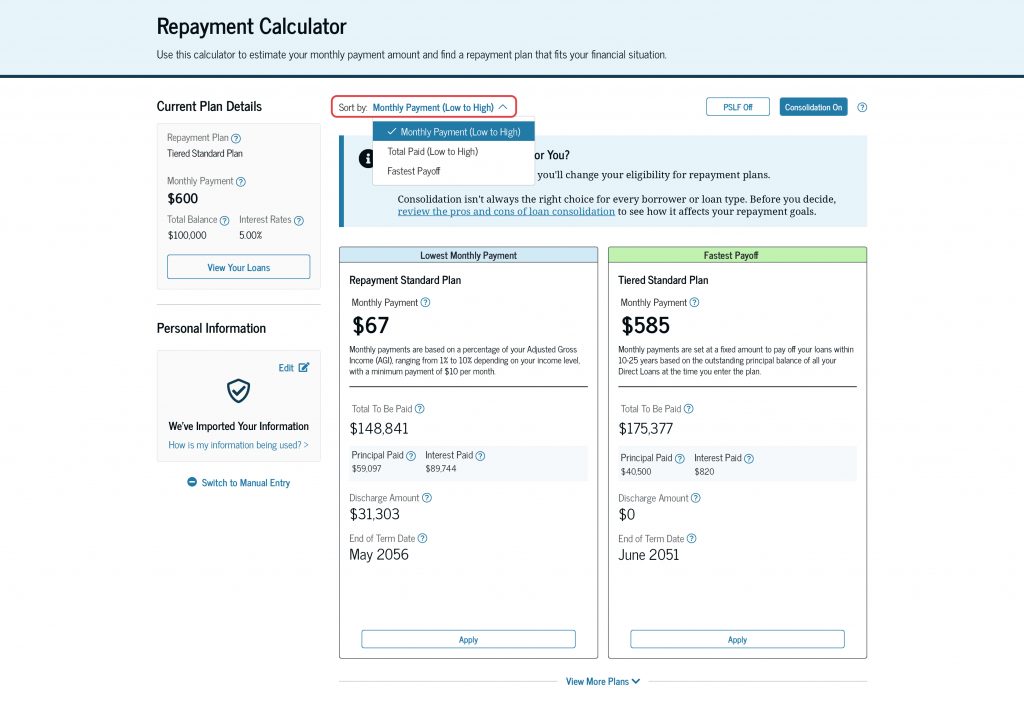
To explore different income-based scenarios, you’ll need to switch to the manual entry method and enter the different income information you want to simulate. For example, you may want to explore how your monthly payment amount could change with a lower or higher income than your current one.
2
Estimate your monthly payment amount
Each repayment plan that you’re eligible for will include your estimated monthly payment amount under that plan. You can also review details of how the monthly payment amount is calculated. This includes payments that are based on a percentage of your income or payments that are a fixed amount.
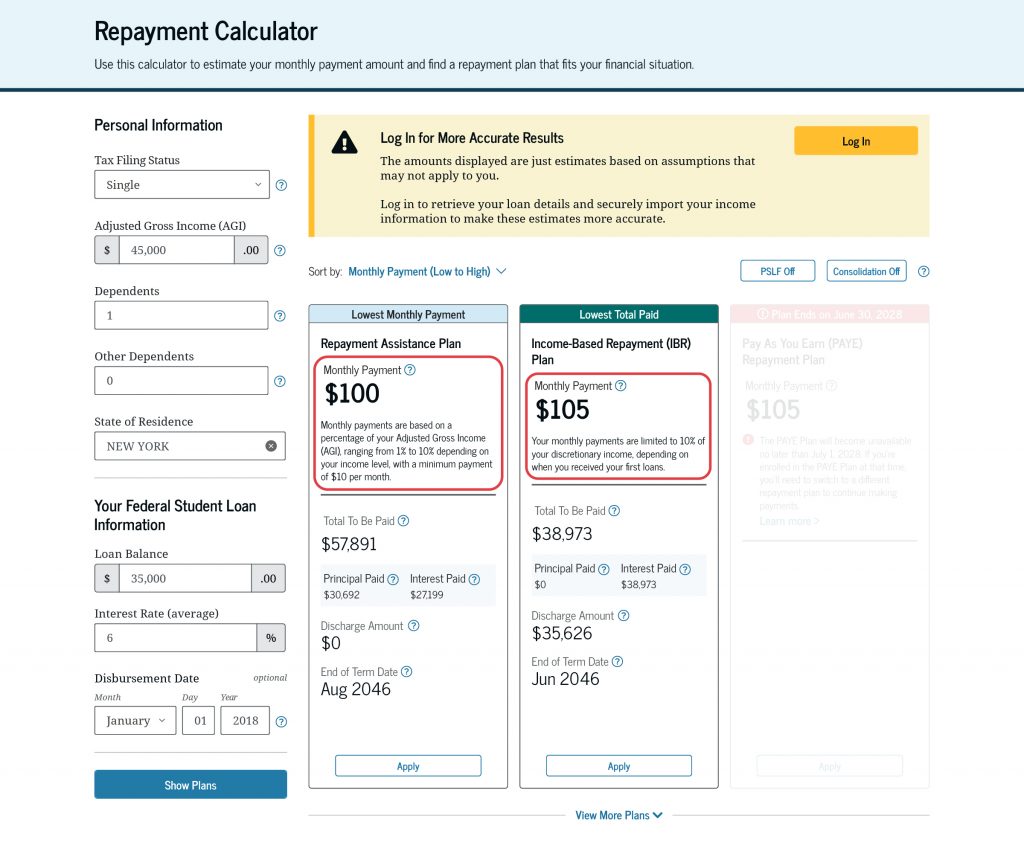
While the monthly payment amount is important when choosing a repayment plan, make sure you’re considering all the factors for each plan to determine the best option for you.
3
Estimate the total amount you’ll pay
Each repayment plan that you’re eligible for will include the total amount you’ll pay under that plan. While two repayment plans may have similar monthly payment amounts, they can have different total amounts paid. For example, a repayment plan with a lower monthly payment may spread those payments over a longer period of time. This can affect how much interest you’ll pay and can lead to paying more over the life of the loan.
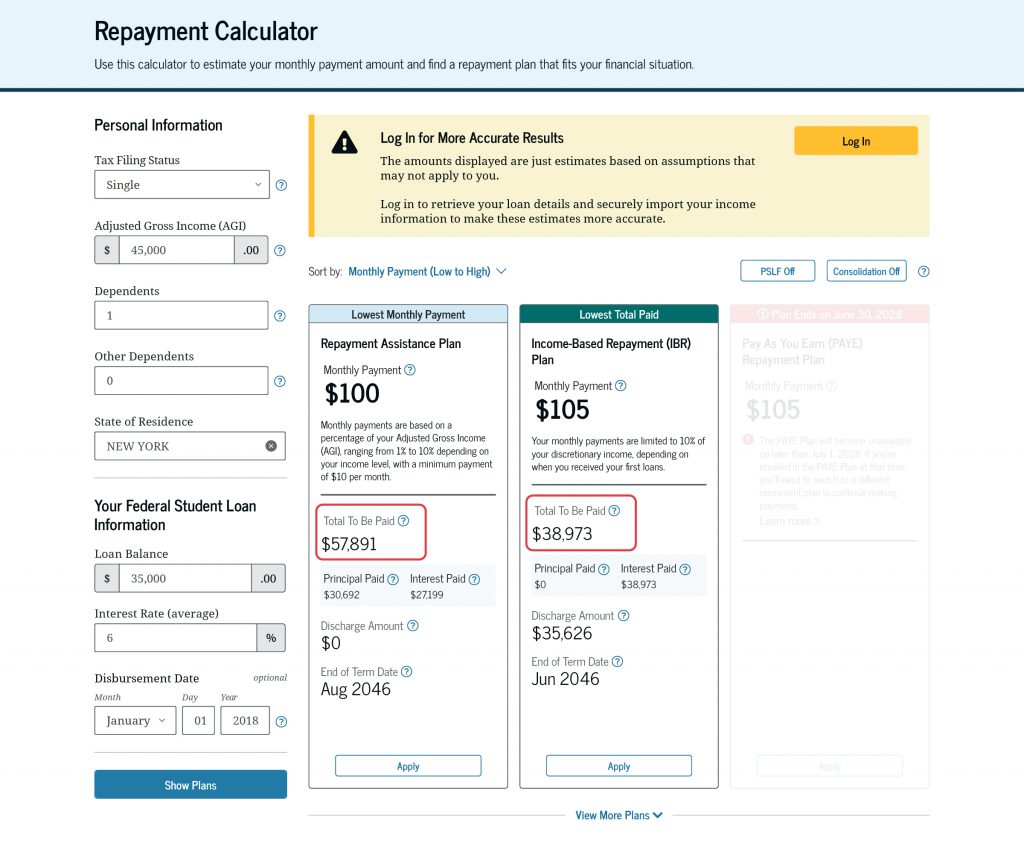
The repayment plans shown will include details about what’s counted in the estimated total amount to be paid:
- Principal Paid: How much of the original amount you borrowed (called principal) of your student loans you’ll pay in total
- Interest Paid: How much interest you’ll pay in total
- Discharge Amount: Your estimated balance that may be discharged at the end of your repayment term under a discharge-eligible repayment plan (e.g., an IDR plan) or eligible program (e.g., PSLF), assuming you meet all discharge criteria, including making full, on-time monthly payments each month
- End of Term Date: The estimated date when your student loan will be paid off
IDR plans provide loan discharge after you make full, on-time payments each month within the required repayment period. However, you might be required to pay federal taxes and/or state taxes on any amount discharged. Read our “Top FAQs About Income-Driven Repayment Plans” article to learn about the different IDR plans.
4
Explore repayment plans for PSLF
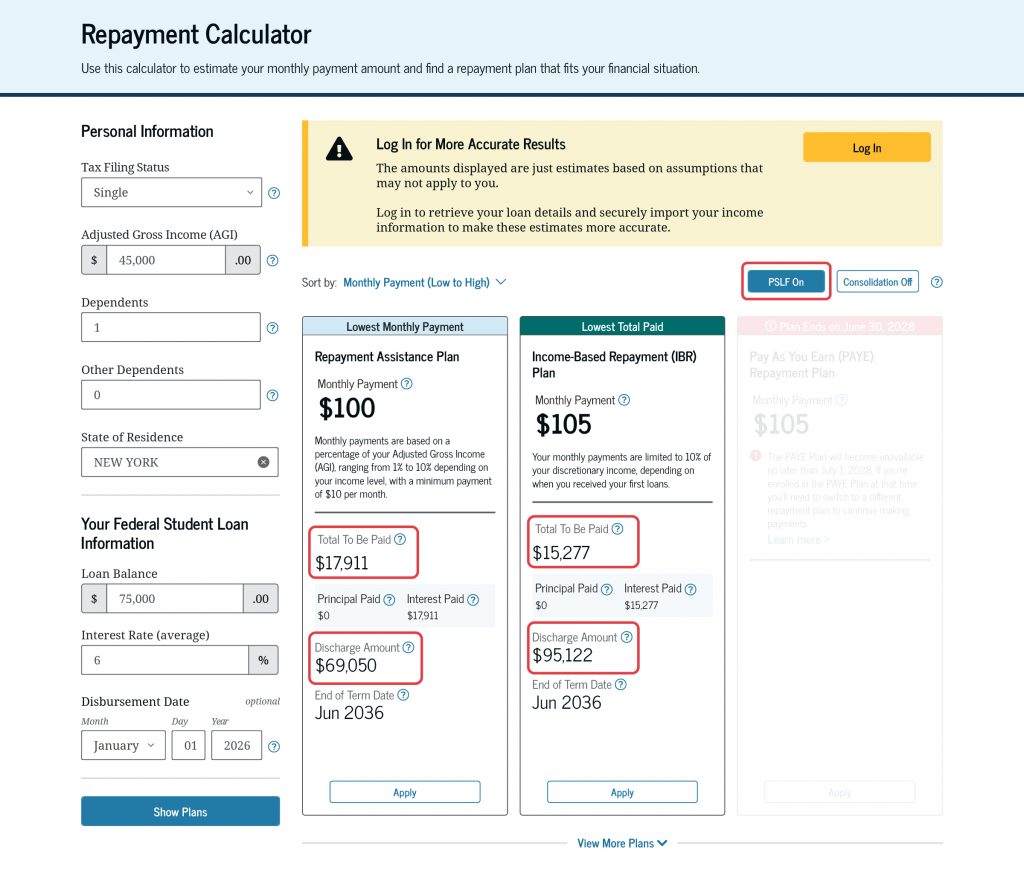
If you’re working toward PSLF, our Repayment Calculator can help you compare your repayment options with PSLF in mind. When you select “PSLF On,” the details for each repayment plan might change. For example, the total amount you’ll pay and the loan forgiveness amount will reflect the 120 qualifying payments required for PSLF.
5
Understand how consolidation affects your repayment options
If you’re considering consolidating your student loans, the Repayment Calculator can help you understand how it would affect your repayment options, including your
- repayment plan eligibility,
- monthly payment amount,
- total amount to be paid,
- end of term date, and
- discharge amount.
When you select “Consolidation On,” the details for each repayment plan listed will change. Additionally, your eligible repayment plans might change. When you consolidate, you may lose access to certain repayment plans, even if you’re currently enrolled in that plan. However, you may also gain access to new repayment plan options, such as the Repayment Assistance Plan (RAP) and Tiered Standard Plan.
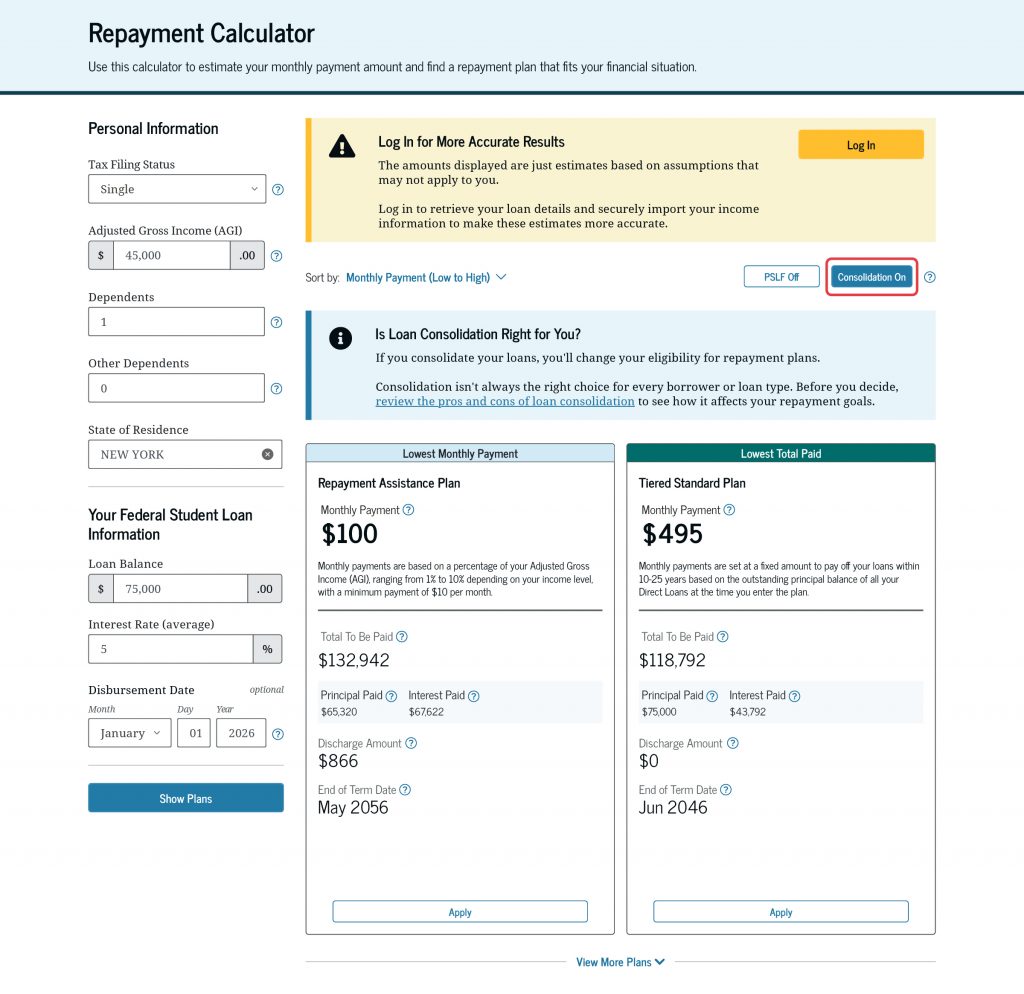
Before choosing to consolidate your student loans, read our article, “5 Things to Know Before Consolidating Federal Student Loans”, to understand the pros and cons.
6
Understand repayment plan changes coming in 2028
When comparing your repayment plan options in the Repayment Calculator, some repayment plans may be marked as “Plan Ends.” This includes the Pay As You Earn (PAYE) Repayment Plan and Income-Contingent Repayment (ICR) Plan, two IDR plans that will be retired no later than July 1, 2028.If you’re working toward IDR discharge or PSLF, you should understand how a repayment plan that is ending can impact your end of term date and qualifying payments.
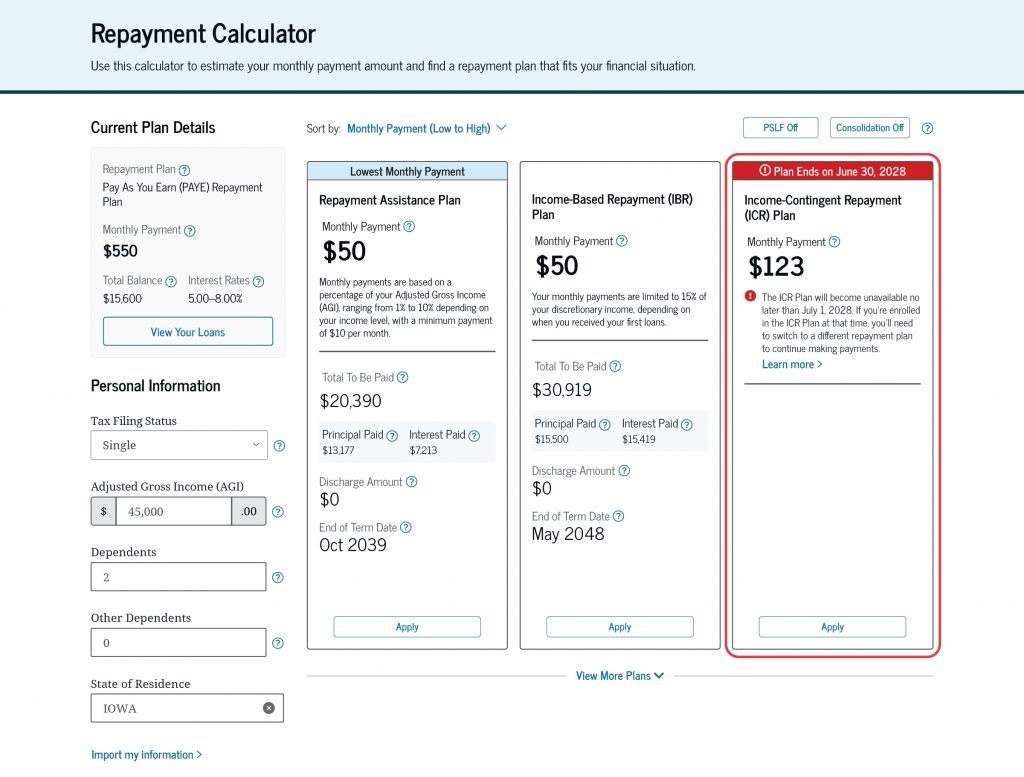
If your end of term date is after July 1, 2028, consider selecting a repayment plan that isn’t ending to avoid needing to change plans at a later date.
If you have a Direct PLUS Loan for parents or a Direct Consolidation Loan that includes a Direct PLUS Loan for parents, you may have limited repayment plan options after certain plans end. In some cases, your loan may be eligible for only one repayment plan.
7
Apply for the Repayment Plan That’s Best for You
After you compare your repayment plan options using our Repayment Calculator, you can select the repayment plan that best fits your financial situation and goals. When you’ve made your decision, select “Apply.”
If you choose an IDR plan, you’ll be taken to the online IDR application. If you’re logged in to your StudentAid.gov account, some information in your application may be prefilled. The application will allow you to select any IDR plan that your loans are eligible for by name.
Remember: After your application is processed, your final terms, including your monthly payment amount, will be determined and communicated to you by your student loan servicer.
Published: August 2026